
Computer Awareness Notes – Topic-Wise Study Material for Bank & SSC Exams
Hand-picked updates, explainers, and notifications for Computer Awareness aspirants.
Computer Awareness Important Terms & Abbreviations – Complete Exam Booster for IBPS, SSC, RRB
This final post in the Computer Awareness series is your ultimate exam booster — a comprehensive quick reference of all important terms, key inventors and their achievements, historical firsts in computing, important number facts, and the complete A–Z list of computer abbreviations. Perfect for last-minute revision before IBPS, SSC CGL, RRB NTPC, LIC AAO, and all government job exams.
Artificial Intelligence & New Technologies – Complete Notes for IBPS, SSC, RRB & Govt Exams
Artificial Intelligence and New Technologies is the most dynamic and fastest-growing chapter in Computer Awareness for IBPS, SSC CGL, RRB NTPC, and all government job exams. This post covers everything — AI, ML, Deep Learning, Generative AI, major AI tools (ChatGPT, Gemini, Claude), AI in India, IoT, Blockchain, Cryptocurrency, AR/VR/Metaverse, Quantum Computing, 5G technology, and all Digital India initiatives — with memory tricks, one-liners, and 10 exam-focused FAQs.
MS Office – Complete Notes for IBPS, SSC, RRB & Govt Exams
Microsoft Office is one of the most directly practical and exam-relevant chapters in Computer Awareness for IBPS, SSC CGL, RRB NTPC, LIC AAO, and all government job exams. This post covers everything — MS Word (components, features, shortcuts), MS Excel (functions, formulas, charts, shortcuts), MS PowerPoint (views, features, shortcuts), MS Access (components, data types, keys), MS Outlook, and Google Workspace — with memory tricks, one-liners, and 10 exam-focused FAQs.
Cyber Security – Complete Notes for IBPS, SSC, RRB & Govt Exams
Cyber Security is one of the most important and consistently tested chapters in IBPS, SSC CGL, RRB NTPC, LIC AAO, and all government job exams — especially in banking where digital security is a daily operational concern. This post covers everything — components of security, cryptography, all types of malware (viruses, worms, trojans, ransomware, spyware), all types of cyber attacks, complete security solutions (firewall, antivirus, VPN, MFA, encryption, digital signature, biometrics), file access permissions, and Indian cyber laws (IT Act 2000, DPDP Act 2023) — with memory tricks, one-liners, and 10 exam-focused FAQs.
Big Data, Data Mining & Data Warehouse – Complete Notes for IBPS, SSC, RRB & Govt Exams
Big Data, Data Mining, and Data Warehouse is a rapidly growing topic in IBPS, SSC CGL, RRB NTPC, and all government job exams, especially for IT-related roles. This post covers everything — definition and 5Vs of Big Data, Big Data tools (Hadoop, Spark, Kafka), Data Warehouse concepts, Data Mining, all four types of data analytics, OLAP vs OLTP, ETL process, Business Intelligence, and key data concepts — with memory tricks, one-liners, and 10 exam-focused FAQs.
DBMS – Database Management System Complete Notes for IBPS, SSC, RRB & Govt Exams
Database Management System (DBMS) is a high-yield chapter in IBPS, SSC CGL, RRB, and all government job exams. This post covers everything — what is a database, types of databases, DBMS vs RDBMS, ANSI/SPARC three-level architecture, database components, all types of keys (Primary, Foreign, Candidate, Composite), SQL commands (DDL, DML, DCL, TCL), SQL constraints, the Entity-Relationship (ER) model, normalisation, and key database terms — with memory tricks, one-liners, and 10 exam-focused FAQs.
Cloud Computing – Complete Notes for IBPS, SSC, RRB & Govt Exams
Cloud Computing is a rapidly growing topic in IBPS, SSC CGL, RRB, and all government job exams. This post covers the complete cloud computing notes — definition, deployment models (Public, Private, Hybrid, Community), service models (IaaS, PaaS, SaaS, FaaS, DaaS), major cloud providers (AWS, Azure, Google Cloud), cloud storage services, and new cloud concepts (Edge Computing, Serverless, Containerisation, DevOps) — with memory tricks, one-liners, and 10 exam-focused FAQs.
Internet & Applications – Complete Notes for IBPS, SSC, RRB & Govt Exams
Internet and its Applications is a high-scoring chapter in every government job exam — especially IBPS, where digital banking knowledge is directly tested. This post covers everything: definition and history of the Internet, types of internet connections, World Wide Web vs Internet, URL structure, domain names, all major browsers, search engines, internet services (email, chatting, video conferencing, e-commerce, e-banking), and India's UPI/digital payment ecosystem — with memory tricks, one-liners, and 10 exam-focused FAQs.
Data Communication & Protocols – Complete Notes for IBPS, SSC, RRB & Govt Exams
Data Communication and Protocols is one of the highest-scoring topics in IBPS, SSC CGL, RRB NTPC, and Insurance exams. This post covers everything — types of signals, simplex/half-duplex/full-duplex channels, guided and unguided transmission media, the complete 7-layer OSI model with mnemonics, the 4-layer TCP/IP model, all key protocols (HTTP, HTTPS, FTP, SMTP, POP3, IMAP, DNS, DHCP, ARP, TCP, UDP, SSH, VoIP), and IP addressing — with memory tricks, one-liners, and 10 exam-focused FAQs.
Computer Networking – Complete Notes for IBPS, SSC, RRB & Govt Exams
Computer Networking is a consistently high-scoring topic in IBPS, SSC CGL, RRB NTPC, and all government exams. This post covers everything — types of networks (PAN, LAN, MAN, WAN, CAN, SAN), network models (P2P, Client-Server), all networking devices (Hub, Switch, Router, Gateway, Modem), network topologies with diagrams, Wi-Fi standards up to Wi-Fi 7, and Bluetooth — with memory tricks, one-liners, and 10 exam-focused FAQs.
Operating System – Complete Notes for IBPS, SSC, RRB & Govt Exams
Operating System is one of the most heavily tested chapters in IBPS, SSC CGL, RRB NTPC, LIC AAO, and other government job exams. This post covers the complete OS notes — definition, functions, all types of operating systems, MS-DOS commands, all Windows versions with features, macOS versions, Linux, mobile operating systems (Android, iOS), booting types, and GUI vs CLI — with memory tricks, one-liners, and 10 exam-focused FAQs.
Computer Software – Complete Notes for IBPS, SSC, RRB & Govt Exams
Computer Software is one of the most consistently tested chapters in IBPS, SSC CGL, RRB, and other government exams. This post covers the complete classification of software — System Software (OS, BIOS, Device Drivers, Translators), Application Software (general and specific purpose), Utility Software — along with Firmware, Freeware, Shareware, Open Source, and CAD. Includes memory tricks, one-liners, and 10 exam-focused FAQs.
Computer Languages – Complete Notes for IBPS, SSC, RRB & Govt Exams
Computer Languages is a regularly tested chapter in IBPS, SSC CGL, RRB NTPC, and all state government exams. This post covers the complete classification of programming languages — Machine Language, Assembly Language, High-Level Languages with their inventors and years, all three translators (Assembler, Interpreter, Compiler), generations of languages, types of errors, and Object-Oriented Programming — with memory tricks, one-liners, and 10 exam-focused FAQs.
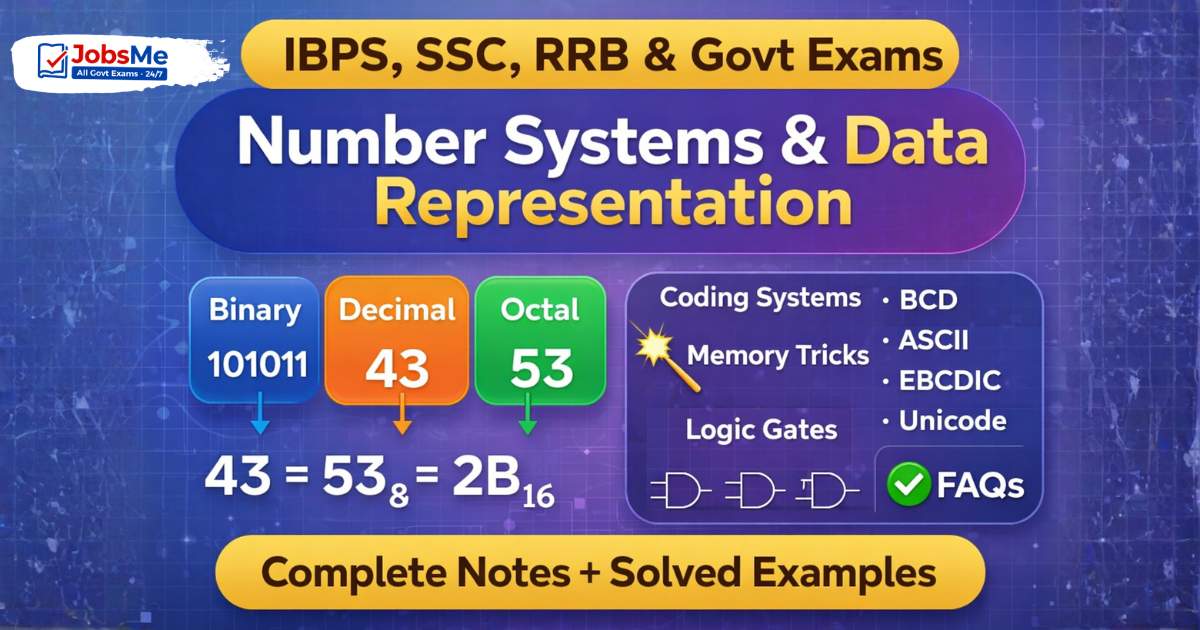
Data Representation & Number Systems – Complete Notes for IBPS, SSC, RRB & Govt Exams
Number Systems and Data Representation is a guaranteed scoring topic in IBPS, SSC CGL, RRB NTPC, and other government exams. This post covers all four number systems (Binary, Decimal, Octal, Hexadecimal), step-by-step conversion methods with solved examples, coding systems (BCD, ASCII, EBCDIC, Unicode), and Logic Gates — with memory tricks, one-liners, and 10 exam-focused FAQs.
Hardware & I/O Devices – Complete Notes for IBPS, SSC, RRB & Govt Exams
Hardware and I/O Devices is a high-yield chapter in every government job exam. This post covers all input devices (keyboard, mouse, scanner, OMR, MICR, OCR, biometrics), output devices (monitors, printers, plotters), dual I/O devices, and I/O ports — with detailed tables, device comparisons, memory tricks, one-liners, and 10 exam-focused FAQs.
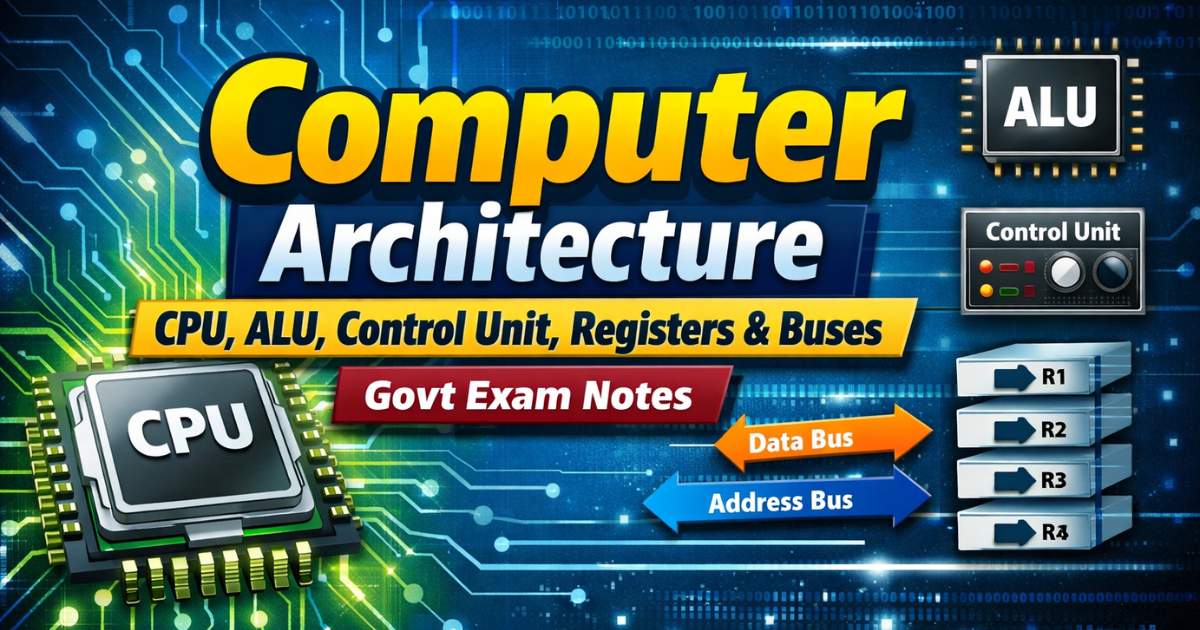
Computer Architecture – CPU, ALU, Control Unit, Registers & Buses | Govt Exam Notes
Computer Architecture is one of the most heavily tested topics in IBPS PO, IBPS Clerk, SBI, SSC CGL, and RRB exams. This post covers the full architecture of a computer — the three main components, CPU internals (ALU, Control Unit, Registers), how buses work, the motherboard layout, the instruction cycle, and microprocessor history — with exam-focused tables, memory tricks, one-liners, and 10 FAQs.

Memory Management in Computers – Complete Notes for IBPS, SSC, RRB & Govt Exams
Memory Management is one of the highest-scoring topics in Computer Awareness for IBPS, SSC, and RRB exams. This post covers the complete memory hierarchy — Registers, Cache, Primary Memory (RAM & ROM types), Secondary Memory (HDD, SSD, optical storage), Virtual Memory, Flash Memory — along with all memory units from Bit to GeopByte. Includes detailed tables, memory tricks, one-liners, and 10 exam-focused FAQs.
History & Generations of Computers – Complete Notes for IBPS, SSC, RRB & Govt Exams
Questions on the history of computers and their five generations appear in nearly every government job exam — from IBPS Clerk to SSC CGL and RRB NTPC. This post covers everything: early computing devices (Abacus to ENIAC), all five generations with their key features and technologies, landmark milestones, important inventors, and recent developments up to 2024 — with memory tricks, one-liners, and 10 exam-focused FAQs.
Basics of Computer Organisation – Complete Notes for IBPS, SSC, RRB & Govt Exams
Learn Basics of Computer Organisation for IBPS, SSC, RRB & all Govt Exams. Covers definition, functions, features, types & memory tricks. Free study notes at jobsme.in.
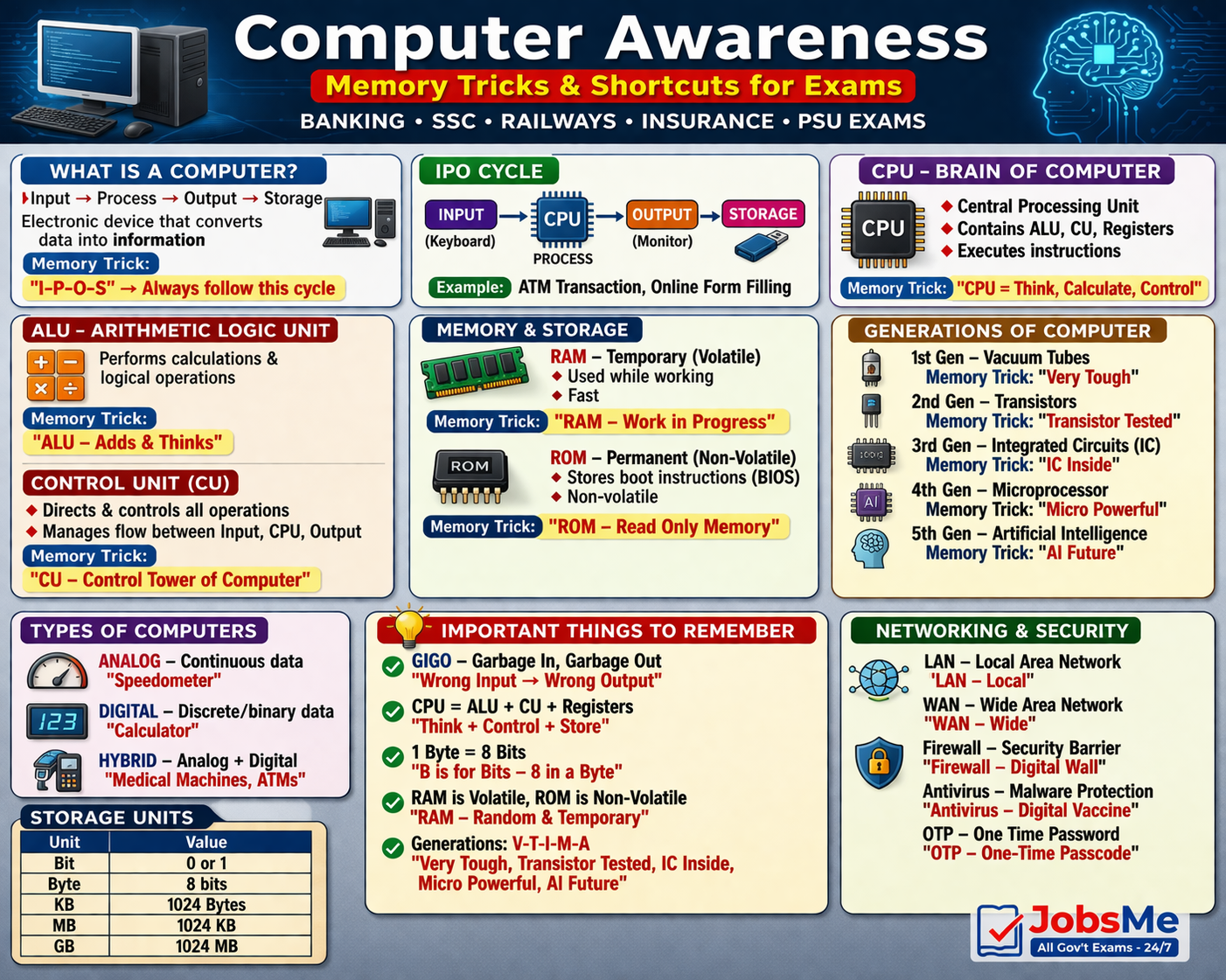
Computer Awareness – Fundamentals of Computer System | Important Concepts for Banking, SSC & Government Exams
This article covers core computer fundamentals including IPO cycle, hardware, software, memory, generations, and modern digital applications—essential for all government exam aspirants.
Recent posts
Latest quizzes



New job notifications


Introduction
JobsMe's Computer Awareness posts are topic-wise study notes written specifically for the Computer Knowledge and Computer Aptitude sections of IBPS, SBI, SSC, RBI, and all other competitive examinations where computing concepts are tested. Each post covers one topic in complete depth - with clear definitions, structured tables, exam-pattern framing, previous year question (PYQ) examples, keyboard shortcut lists, and memory aids to help you retain and recall exam-critical facts quickly. After reading any post, test yourself immediately with the corresponding free interactive quiz in the Computer Awareness quiz archive. Logged-in users can track their score improvement across attempts.
Want to pair your Computer Awareness preparation with Banking Awareness? Visit the Banking Awareness section for complementary preparation. For current affairs updates involving technology, check daily current affairs.
Why Computer Awareness Is the Easiest Section to Master - If You Prepare Right
Computer Awareness has an unusual characteristic that separates it from every other competitive exam subject: it rewards preparation almost perfectly. Unlike reasoning (where novel question formats can trip you up) or quant (where calculation errors can cost marks), Computer Awareness tests a finite, well-defined set of facts. Every question type is knowable in advance. Every answer is deterministic. If you have read the right material and practised the right questions, there are no surprises.
The challenge is not difficulty - it is coverage. The Computer Awareness syllabus spans many topics, and aspirants who prepare without a structured topic list often miss entire categories that appear in exams. JobsMe's topic-wise posts solve this by giving each subject its own dedicated, complete post - so you always know exactly what you have covered and what you still need to do.
Exam-Framed from the First Line
Every post opens by explaining exactly how that topic is tested - whether as direct one-liner MCQs ("Which key is used to...?"), match-the-following ("Match the shortcut key with its function"), or identification-based questions ("Which of the following is NOT an input device?"). Reading with this exam lens from the start makes you a more efficient learner because you know precisely what to focus on and what level of depth is needed.
PYQ Analysis in Every Post
Each post includes examples of how that topic has been asked in previous papers of IBPS RRB, IBPS PO, SBI Clerk, SSC CGL Tier 2, and other major exams. This reveals which sub-topics get asked most frequently and in what question formats - so you spend your preparation time where it returns the most marks.
Quick Revision Tables and Shortcut Lists
Every post includes at least one structured table or list designed for fast revision - shortcut key tables, hardware component comparison charts, network topology feature tables, OS type comparison grids, and memory type specification tables. These are formatted for screenshot, save, and last-minute revision on exam morning.
Topic-Wise Post Coverage
Fundamentals and History
- Basics of Computers - definition, characteristics, limitations
- History and Generations of Computers - 1st through 5th generation, key milestones
- Types of Computers - supercomputer, mainframe, minicomputer, microcomputer, workstation
- Computer Architecture - CPU, ALU, Control Unit, registers, buses
Hardware Topics
- Input Devices - keyboard, mouse, scanner, OCR, OMR, barcode reader, touchscreen, light pen
- Output Devices - monitor (types), printer (types: inkjet, laser, dot matrix), plotter, speaker
- CPU and Processor - clock speed, cores, cache, generations
- Memory - RAM types, ROM types, cache memory, virtual memory, memory hierarchy
- Storage Devices - HDD, SSD, CD/DVD, Blu-ray, pen drive, memory card - capacity and speed comparison
- Computer Ports and Connectors - USB (types), HDMI, VGA, PS/2, audio jack, Ethernet
Number Systems and Logic
- Number Systems - binary, octal, decimal, hexadecimal; conversion methods
- Binary Arithmetic - addition, subtraction, complement methods
- Logic Gates - AND, OR, NOT, NAND, NOR, XOR, XNOR - truth tables, symbols, applications
- Boolean Algebra basics
Software and Operating Systems
- System Software vs Application Software
- Operating Systems - types, functions, popular OSes (Windows, Linux, macOS, Android)
- Windows OS - file management, Control Panel, Windows Explorer, Task Manager
- Programming Languages - generations (1GL-5GL), compiled vs interpreted, high-level vs low-level
- Types of Software Licenses
Microsoft Office
- MS Word - document creation, formatting, shortcut keys, mail merge, track changes
- MS Excel - cell operations, formulas (SUM, AVERAGE, IF, VLOOKUP, COUNTIF), charts, pivot tables, shortcut keys
- MS PowerPoint - presentations, slide layouts, transitions, animations, Presenter View
- MS Access - database tables, queries, forms, reports
- MS Outlook - email management, calendar, contacts
- MS Office Shortcut Keys - master list
Keyboard Shortcuts and Function Keys
- Function Keys F1-F12 - standard uses and exam-specific applications
- Common Keyboard Shortcuts - Ctrl combinations, Alt combinations, Windows key, application-specific shortcuts
- Browser Keyboard Shortcuts
- Excel-specific Shortcut Keys
Computer Networks
- Types of Networks - LAN, MAN, WAN, PAN, VPN, intranet, extranet
- Network Topologies - Bus, Star, Ring, Mesh, Tree, Hybrid - advantages, disadvantages, diagram
- Networking Devices - Router, Switch, Hub, Modem, Gateway, Bridge, Repeater, NIC
- Network Protocols - TCP/IP, HTTP, HTTPS, FTP, SMTP, POP3, IMAP, DNS, DHCP, ARP
- OSI Model - 7 layers, functions, mnemonic
- Transmission Media - coaxial, twisted pair (UTP/STP), fibre optic, Wi-Fi, Bluetooth
Internet and Web Technologies
- How the Internet Works - packets, routing, ISPs
- URL, IP Address, Domain Name System (DNS)
- IPv4 vs IPv6 - format, differences, examples
- Web Browsers - Chrome, Firefox, Edge, Safari, Opera
- HTTP vs HTTPS - difference and security implications
- HTML Basics - tags, structure, purpose
- Cloud Computing - public, private, hybrid cloud; SaaS, PaaS, IaaS; major providers
- Search Engines, Cookies, Cache
Cybersecurity
- Types of Malware - virus, worm, Trojan horse, ransomware, spyware, adware, rootkit
- Antivirus Software - functions, well-known examples
- Firewall - types, purpose, packet filtering
- Phishing, Vishing, Smishing - social engineering attacks
- Encryption - symmetric vs asymmetric, SSL/TLS, digital certificates
- Two-factor authentication, biometrics, password security
Database Management Systems
- File System vs DBMS
- DBMS vs RDBMS - differences, examples
- Key Terms - table, record, field, primary key, foreign key, schema
- SQL Basics - SELECT, INSERT, UPDATE, DELETE
- DBMS Software - MySQL, Oracle, MS Access, PostgreSQL
Computer Abbreviations
- 200+ essential computer abbreviations - CPU, RAM, ROM, BIOS, POST, GUI, OS, HTTP, HTML, URL, DNS, IP, LAN, WAN, SQL, AI, ML, IoT, USB, SSD, PDF, OCR, VPN, and many more
- Full forms and one-line definitions, grouped by category
Emerging Technologies
- Artificial Intelligence (AI) - definition, types (narrow AI, general AI), applications
- Machine Learning (ML) - supervised, unsupervised, reinforcement learning
- Internet of Things (IoT) - definition, applications, examples
- Blockchain - distributed ledger, cryptocurrency, applications
- Big Data - 3Vs (Volume, Velocity, Variety), tools, use cases
- Virtual Reality (VR) and Augmented Reality (AR)
How to Read Computer Awareness Posts Effectively
Tables Before Text
Every post has at least one table or structured list at or near the end. Read the table first - it shows you the scope of what needs to be memorised in that topic. Then read the explanation text to understand why these facts are what they are.
Prioritise by Exam
Computer Awareness questions vary by exam. For IBPS RRB, MS Office and networking are heaviest. For SSC CGL Tier 2, number systems, CPU architecture, and memory types carry more weight. For SBI Clerk, OS basics and shortcut keys are highest-frequency. Match your reading priority to your target exam.
Write the Shortcuts
For keyboard shortcut posts especially - write them out by hand at least once. The physical act of writing shortcut keys reinforces memory far better than passive reading. Use the quick revision table from the post for your written practice.
Attempt the Quiz Immediately
After reading any post, go to the Computer Awareness quiz for that topic within the same study session. Immediate testing after reading is the single most effective technique for converting short-term comprehension into long-term exam recall.