
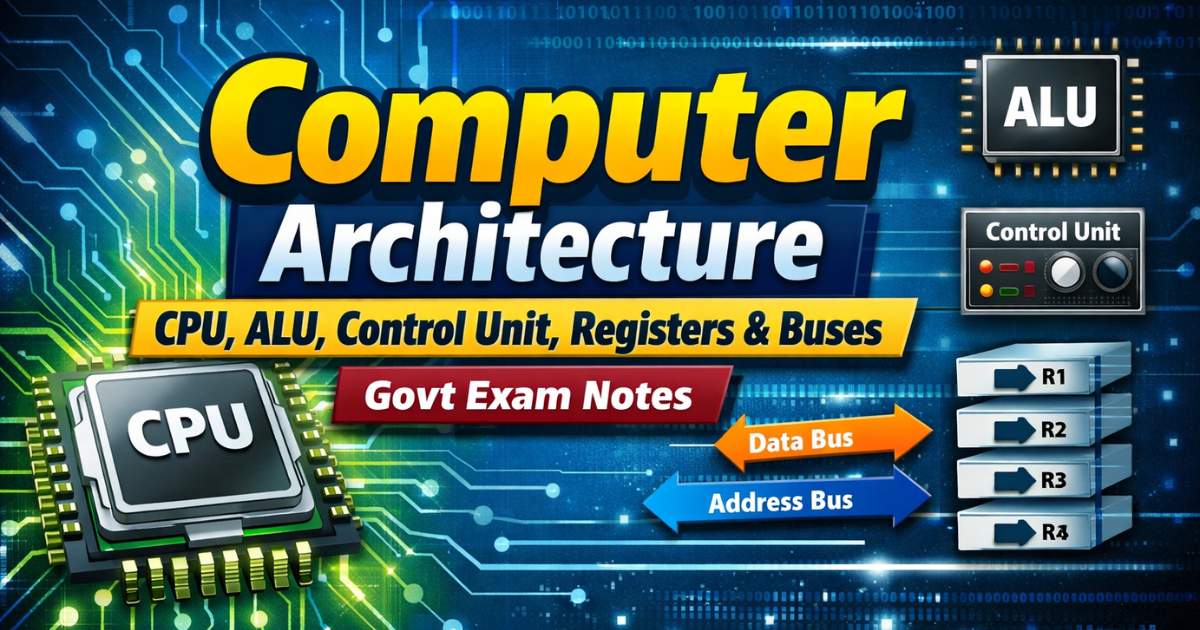
Computer Architecture – CPU, ALU, Control Unit, Registers & Buses | Govt Exam Notes
Computer Architecture is one of the most heavily tested topics in IBPS PO, IBPS Clerk, SBI, SSC CGL, and RRB exams. This post covers the full architecture of a computer — the three main components, CPU internals (ALU, Control Unit, Registers), how buses work, the motherboard layout, the instruction cycle, and microprocessor history — with exam-focused tables, memory tricks, one-liners, and 10 FAQs.
Jump to section
- Introduction: What is Computer Architecture and Why It Is Asked in Every Exam
- Overview: The Three Main Components of a Computer System
- Input Unit - Gateway of Data
- Output Unit - Communicating Results
- Central Processing Unit (CPU) - The Brain of the Computer
- Motherboard - The Main Circuit Board
- Buses - The Data Highways of a Computer
- Instruction Cycle - How a Computer Executes One Command
- Microprocessor - The Heart of Modern Computing
- Other Key Architecture Terms
- Memory Tricks
- One-Liner Recap (Quick Revision)
Introduction: What is Computer Architecture and Why It Is Asked in Every Exam
Computer Architecture is the logical and functional design of a computer system — it describes how the hardware components are organized, how they interact with each other, and how instructions are executed. Think of it as the blueprint of a computer's internal structure.
The concept of modern computer architecture was first formalised by John Von Neumann in 1948, and it became the foundation of virtually every computer built from the 1950s onwards. The first computer to implement Von Neumann architecture was EDSAC (1949).
In government job exams, Computer Architecture is tested because it directly explains:
- How the CPU works (ALU + Control Unit)
- How data moves inside a computer (Buses)
- What the motherboard connects (All components)
- How one instruction is executed (Instruction Cycle)
Questions appear in formats like: "Which unit is called the 'brain' of the computer?", "Which bus is unidirectional?", "What does ALU stand for?", "Which register stores the next instruction address?" This post answers all of them.
Overview: The Three Main Components of a Computer System
Every computer system, from the simplest microcontroller to the most powerful supercomputer, is built on three fundamental components working together:
INPUT UNIT → CPU (ALU + CU + Registers) → OUTPUT UNIT
↑↓
MEMORY UNIT
| Component | Role | Examples |
|---|---|---|
| Input Unit | Accepts data and instructions from the user | Keyboard, Mouse, Scanner, Microphone |
| CPU (Central Processing Unit) | Processes all data; executes all instructions | Intel Core i7, AMD Ryzen, Apple M4 |
| Memory Unit | Stores data and instructions during processing | RAM, ROM, Cache |
| Output Unit | Communicates processed results to the user | Monitor, Printer, Speaker |
The CPU and Memory together form the heart of the computer, while the input/output units serve as the interface between the computer and the human user.
Input Unit - Gateway of Data
The Input Unit is the first point of contact between the user and the computer. Its job is to:
- Accept coded data and instructions from the user
- Convert that data into a machine-acceptable (binary) format
- Supply the converted data to the computer's CPU/Memory for processing
Without the input unit, a computer would be an isolated, useless machine with no way to receive instructions. The Input Unit does not process data — it only receives and converts it.
Common Input Devices: Keyboard, Mouse, Scanner, Barcode Reader, Microphone, Webcam, Touchscreen (also an output device).
Output Unit - Communicating Results
The Output Unit is the final step in the computing chain. It:
- Receives processed results from the CPU in coded (binary) format
- Converts that coded result into a human-readable form
- Presents the result to the user
The output can be soft copy (displayed on screen — temporary) or hard copy (printed on paper — permanent).
Common Output Devices: Monitor (VDU), Printer, Speaker, Projector, Headphones, Plotter.
Central Processing Unit (CPU) - The Brain of the Computer
The CPU (Central Processing Unit) is the most critical component of any computer. It is rightly called the "brain of the computer" because it:
- Executes all program instructions
- Controls all operations of the computer
- Coordinates all other components
Key Facts:
- The CPU is fabricated as a single IC (Integrated Circuit) chip, also called a Microprocessor
- CPU speed is measured in MHz (Megahertz) or GHz (Gigahertz)
- A modern CPU can execute billions of instructions per second
The CPU has three sub-units: ALU, Control Unit, and Registers.
Arithmetic Logic Unit (ALU)
The ALU is the calculation engine inside the CPU — it performs all arithmetic and logical operations.
| Type of Operation | Examples |
|---|---|
| Arithmetic Operations | Addition (+), Subtraction (−), Multiplication (×), Division (÷) |
| Logical Operations | AND, OR, NOT, XOR — comparisons between data values |
| Comparison Operations | Equal to (=), Less than (<), Greater than (>), Less than or equal (≤), Greater than or equal (≥) |
| Bit-Shifting Operations | Shifting binary digits left or right (used in multiplication/division by powers of 2) |
How ALU works: The ALU takes data from registers, performs the requested operation, and sends the result back to a register (specifically, the Accumulator). It does not store data permanently — it only processes it.
Exam Tip: "ALU performs ___" — the answer is always "arithmetic and logical operations." Never "storage" or "input/output."
Control Unit (CU)
The Control Unit is the manager and coordinator of the entire computer system. It is sometimes called the "nerve centre of the computer."
Functions of the Control Unit:
- Fetches instructions from main memory (RAM)
- Decodes the instruction to understand what operation is to be performed
- Directs the decoded instruction to the appropriate unit (ALU, memory, I/O)
- Generates control signals that synchronise all components
- Manages data flow between the CPU, memory, and I/O devices
The CU does not perform any arithmetic or data processing itself — it only controls and coordinates other units.
| Feature | CPU | ALU | CU |
|---|---|---|---|
| Called | Brain of computer | Calculator of computer | Nerve centre / Manager |
| Function | Processes all data | Arithmetic & logic only | Controls and coordinates |
| Processes data? | Yes | Yes | No |
Registers - The Fastest Memory in a Computer
Registers are tiny, extremely fast memory locations located inside the CPU itself. They temporarily hold data, addresses, and instructions that the CPU is currently working with.
Key Properties:
- Fastest memory in the computer system (faster than Cache, RAM, and hard disk)
- Smallest in storage capacity
- Most expensive per bit of storage
- Located physically inside the CPU chip
| Register | Full Name | Function |
|---|---|---|
| Accumulator | — | Stores the immediate result of arithmetic/logic operations; the most-used register |
| MAR | Memory Address Register | Holds the address of the memory location to be read from or written to |
| MBR / MDR | Memory Buffer / Data Register | Holds the actual data being transferred to or from memory |
| PC | Program Counter | Contains the address of the next instruction to be fetched and executed |
| IR | Instruction Register | Holds the current instruction being decoded and executed |
Exam Tip: "PC stands for ___" — in architecture context, it is Program Counter (not Personal Computer). This is a very common trick question.
Motherboard - The Main Circuit Board
The Motherboard is the primary circuit board of a computer — it is the physical platform that connects and allows communication between all components of the computer. It is also called:
- Main Board
- Logic Board
- System Board
- Planar Board
Every component — CPU, RAM sticks, ROM chip, expansion slots, USB ports, BIOS chip — is either directly soldered onto or connected through slots on the motherboard.
Key Components on the Motherboard
| Component | Purpose |
|---|---|
| CPU Socket | Physical slot where the processor is installed |
| RAM Slots (DIMM) | Slots where RAM memory sticks are inserted |
| BIOS Chip | Contains firmware that initialises the computer at startup |
| CMOS Battery | Powers the BIOS chip to retain date/time and BIOS settings when computer is off |
| PCI / PCIe Slots | Expansion slots for graphics cards, sound cards, network cards |
| SATA Connectors | Connect hard disks and optical drives |
| USB Headers | Internal connections for front-panel USB ports |
| SMPS Connector | Connects the power supply unit to the motherboard |
| Chipset | Controls data flow between CPU, memory, and peripherals |
| Heatsink/Fan Mount | Cooling system for the CPU |
Buses - The Data Highways of a Computer
A bus is a set of parallel electrical wires (conductors) that carry data between different components of a computer. Each wire in a bus carries one bit at a time. A 32-bit bus has 32 parallel wires and can transfer 32 bits simultaneously.
Types of Buses
| Bus Type | Direction | What It Carries | Width |
|---|---|---|---|
| Address Bus | Unidirectional (CPU → Memory only) | Memory addresses — tells the memory WHERE to read/write | 32-bit or 64-bit |
| Data Bus | Bidirectional (CPU ↔ Memory ↔ I/O) | The actual data being transferred between components | 32-bit or 64-bit |
| Control Bus | Bidirectional | Control signals — commands that synchronise all operations | Varies |
Additional Bus Types:
- System Bus (Internal Bus) — connects components inside the motherboard (CPU + RAM + Chipset)
- Expansion Bus (External Bus) — connects external devices and peripherals (USB, PCI, PCIe)
Key Exam Fact: The Address Bus is the only unidirectional bus. Both the Data Bus and Control Bus are bidirectional. This distinction is tested very frequently.
Bus Width and Memory: The width of the Address Bus determines the maximum amount of memory a CPU can access.
- 32-bit address bus → 2³² = 4 GB maximum RAM
- 64-bit address bus → 2⁶⁴ = 16 Exabytes maximum RAM
Instruction Cycle - How a Computer Executes One Command
The Instruction Cycle (also called the Fetch-Decode-Execute cycle) is the sequence of steps the CPU performs to execute one instruction. Every single instruction — whether it's adding two numbers or loading a file — goes through this cycle.
The 4 Steps:
| Step | Name | What Happens |
|---|---|---|
| Step 1 | Fetch | The Control Unit uses the Program Counter (PC) to fetch the next instruction from RAM and loads it into the Instruction Register (IR) |
| Step 2 | Decode | The Control Unit decodes the instruction in the IR to understand what operation is required |
| Step 3 | Execute | The ALU or another unit performs the actual operation |
| Step 4 | Store | The result is stored back in a register or in memory |
- Steps 1-2 = Fetch Cycle
- Steps 3-4 = Execute Cycle
- The Machine Cycle = Time to fetch two operands + perform ALU operation + store result
Pipelining - Making Execution Faster
Pipelining is a technique where the CPU begins fetching the next instruction before it has finished executing the current one — similar to an assembly line in a factory.
Without pipelining: Instruction 1 fully completes → Instruction 2 starts With pipelining: Instruction 1 is in Step 3 (Execute) → Instruction 2 is already in Step 2 (Decode) → Instruction 3 is in Step 1 (Fetch)
Benefits: Dramatically improves CPU speed and throughput without increasing clock speed. Also called Instruction Prefetch.
Microprocessor - The Heart of Modern Computing
A microprocessor is a single integrated circuit (chip) that contains the entire CPU — ALU, Control Unit, and Registers — all on one tiny silicon chip. It is the controlling element of a modern computer.
History of Microprocessors
| Microprocessor | Year | Developer | Significance |
|---|---|---|---|
| Intel 4004 | 1971 | Ted Hoff & Federico Faggin (Intel) | World's FIRST microprocessor; 4-bit |
| Intel 8008 | 1972 | Intel | 8-bit microprocessor |
| Intel 8086 | 1978 | Intel | First 16-bit processor; began x86 architecture |
| Intel Pentium | 1993 | Intel | Mass-market personal computing revolution |
| Intel Core i-series | 2000s+ | Intel | i3, i5, i7, i9 — modern desktop/laptop CPUs |
| AMD Ryzen | 2017+ | AMD | Competitive multi-core processors |
| Apple M1 | 2020 | Apple | First Apple Silicon; ARM-based SoC (System on Chip) |
| Apple M4 | 2024 | Apple | Latest Apple Silicon chip with built-in NPU |
Modern CPU Speed: Measured in GHz (Gigahertz) — a modern CPU runs at 3-5 GHz, meaning 3-5 billion clock cycles per second.
NPU (Neural Processing Unit): A dedicated processor for AI tasks, now integrated into modern CPUs (Intel Core Ultra, AMD Ryzen AI, Apple M-series). Represents the next evolution in chip design.
DMA (Direct Memory Access)
DMA stands for Direct Memory Access. It is a feature that allows I/O devices (like hard disks and sound cards) to transfer data directly to/from main memory (RAM), completely bypassing the CPU.
Why is this important? Without DMA, the CPU would have to supervise every single byte of data transferred between I/O devices and memory — a massively inefficient process. DMA frees the CPU to do other work while data transfers happen independently.
Other Key Architecture Terms
| Term | Meaning |
|---|---|
| UPS (Uninterruptible Power Supply) | A device that provides emergency backup power when the main power supply fails — protects data from being lost during a power cut |
| Buffer | A temporary storage area (register or RAM area) that holds data while it is being transferred between two devices of different speeds |
| Time Slice | The fixed interval of CPU time allocated to each process in a multitasking system |
| Sockets | Physical connection points on the motherboard where chips (CPU, RAM) are inserted |
| POST (Power On Self Test) | The automatic diagnostic test performed by BIOS every time the computer starts up, to check that all hardware is functioning correctly |
| Chipset | A group of microchips on the motherboard that manages the data flow between the CPU, RAM, and all other components |
Memory Tricks
🔑 CPU Sub-units — "ACR":
ALU (Calculator) | Control Unit (Manager) | Registers (Notebook)
🔑 Register Names — "MAMBA PC" (like the snake!):
MAR | MBR | Buffer (Accumulator) | PC (Program Counter) | IR (Instruction Register)
🔑 ALU Operations — "ALCB":
Arithmetic | Logical | Comparison | Bit-shifting
🔑 Bus Types — "ACD":
Address bus (Unidirectional) | Control bus (Bidirectional) | Data bus (Bidirectional) Only the Address bus goes One Way — remember "A for Arrow → One Direction"
🔑 Instruction Cycle — "FDES":
Fetch → Decode → Execute → Store Silly sentence: "Find Dogs Every Sunday"
🔑 First Microprocessor:
Intel 4004 → 1971 → Ted Hoff Remember: "4004 was the FIRST, in '71, by Ted"
One-Liner Recap (Quick Revision)
- Computer architecture was first formalised by John Von Neumann in 1948, making it the blueprint for virtually every computer built since then.
- The three main components of a computer system are the Input Unit, CPU (with Memory), and Output Unit, which together execute the IPOS cycle.
- The CPU (Central Processing Unit) is called the "brain of the computer" because it executes all instructions and coordinates all other components.
- The ALU (Arithmetic Logic Unit) performs all arithmetic (+, −, ×, ÷) and logical (AND, OR, NOT, XOR) operations inside the CPU.
- The Control Unit (CU) fetches, decodes, and directs instructions — it is the nerve centre of the computer but does not perform any calculations itself.
- Registers are the fastest and smallest memory units, located physically inside the CPU, and they temporarily hold data being currently processed.
- The Accumulator register stores the immediate result of every arithmetic or logical operation performed by the ALU.
- The Program Counter (PC) always holds the memory address of the next instruction to be fetched — it auto-increments after every fetch.
- The Motherboard is the main circuit board that physically connects and enables communication between all computer components.
- The Address Bus is unidirectional (CPU to Memory only), while the Data Bus and Control Bus are bidirectional.
- The Instruction Cycle follows four steps — Fetch, Decode, Execute, Store — and every single CPU instruction passes through all four steps.
- Pipelining allows the CPU to begin processing the next instruction before the current one finishes, significantly improving speed.
- The Intel 4004 (1971), designed by Ted Hoff and Federico Faggin, was the world's first microprocessor.
- DMA (Direct Memory Access) allows I/O devices to transfer data directly to RAM, bypassing the CPU and freeing it for other tasks.
- NPU (Neural Processing Unit) is a dedicated AI chip now found in Intel Core Ultra, AMD Ryzen AI, and Apple M-series processors.
Practice here:
Practice Banking Awareness Quiz - https://jobsme.in/quizzes
Also refer:
Banking Awareness for Competitive Exams - https://jobsme.in/category/banking-awareness
Static GK for Government Exams - https://jobsme.in/category/static-gk
Latest Government Job Notifications - https://jobsme.in/jobs
Free quiz • No signup required
Put this topic into practice with Daily Current Affairs MCQ Quiz 22 May 2026 for SSC Banking UPSC. It is the quickest way to reinforce what you just learned.
Frequently Asked Questions
What is Computer Architecture and who introduced it?
Why is the CPU called the "brain of the computer"?
What is the difference between the ALU and the Control Unit?
What are registers in a computer and what are their types?
What is the difference between the Address Bus, Data Bus, and Control Bus?

About the author