Cloud Computing – Complete Notes for IBPS, SSC, RRB & Govt Exams
Cloud Computing is a rapidly growing topic in IBPS, SSC CGL, RRB, and all government job exams. This post covers the complete cloud computing notes — definition, deployment models (Public, Private, Hybrid, Community), service models (IaaS, PaaS, SaaS, FaaS, DaaS), major cloud providers (AWS, Azure, Google Cloud), cloud storage services, and new cloud concepts (Edge Computing, Serverless, Containerisation, DevOps) — with memory tricks, one-liners, and 10 exam-focused FAQs.
Jump to section
- Introduction: Why Cloud Computing is a Growing Exam Topic
- What is Cloud Computing?
- Characteristics of Cloud Computing
- Advantages and Disadvantages of Cloud Computing
- Cloud Deployment Models
- Cloud Service Models
- Major Cloud Providers (2024)
- Cloud Storage Services
- New and Emerging Cloud Concepts
- Memory Tricks
- One-Liner Recap (Quick Revision)
Introduction: Why Cloud Computing is a Growing Exam Topic
Cloud Computing has revolutionised how organisations store data, run applications, and deliver services. Every major bank, insurance company, government department, and startup in India and globally now uses cloud infrastructure. The RBI has issued cloud adoption guidelines for banks; UIDAI stores Aadhaar data on government clouds; SBI's internet banking runs on cloud infrastructure.
In government job exams, Cloud Computing questions have increased significantly since 2020:
- "IaaS stands for ___" → Infrastructure as a Service
- "Which cloud service is an example of SaaS?" → Gmail, Office 365, Salesforce
- "Which company has the largest cloud market share?" → Amazon (AWS)
- "What is the difference between Public and Private cloud?" → accessibility
- "Google Drive provides ___ GB free storage" → 15 GB
- "Serverless computing means ___" → No server management; pay per execution
This chapter overlaps with Networking, Internet, AI, and Digital India topics. Understanding cloud computing is also directly relevant to job roles in banking and government IT departments.
What is Cloud Computing?
Cloud Computing is the delivery of computing services — servers, storage, databases, networking, software, analytics, and intelligence — over the Internet ("the cloud") on a pay-as-you-go or subscription basis.
Formal Definition:
Cloud Computing is a model for enabling ubiquitous, convenient, on-demand network access to a shared pool of configurable computing resources (networks, servers, storage, applications, services) that can be rapidly provisioned and released with minimal management effort.
The "Cloud" Metaphor: Just as electricity comes from the power grid without you needing to understand how it's generated, cloud computing delivers computing power and storage from remote data centres without you needing to own or manage the physical hardware.
Before Cloud (Traditional):
- Buy expensive servers and hardware
- Install and maintain software yourself
- Scale up = buy more servers
- Underutilisation when demand is low
- High upfront capital expenditure
With Cloud:
- Use computing resources over the internet
- Pay only for what you use (OpEx model)
- Scale instantly up or down
- No hardware maintenance
- Access from anywhere, any device
Characteristics of Cloud Computing
The National Institute of Standards and Technology (NIST) defines five essential characteristics of cloud computing:
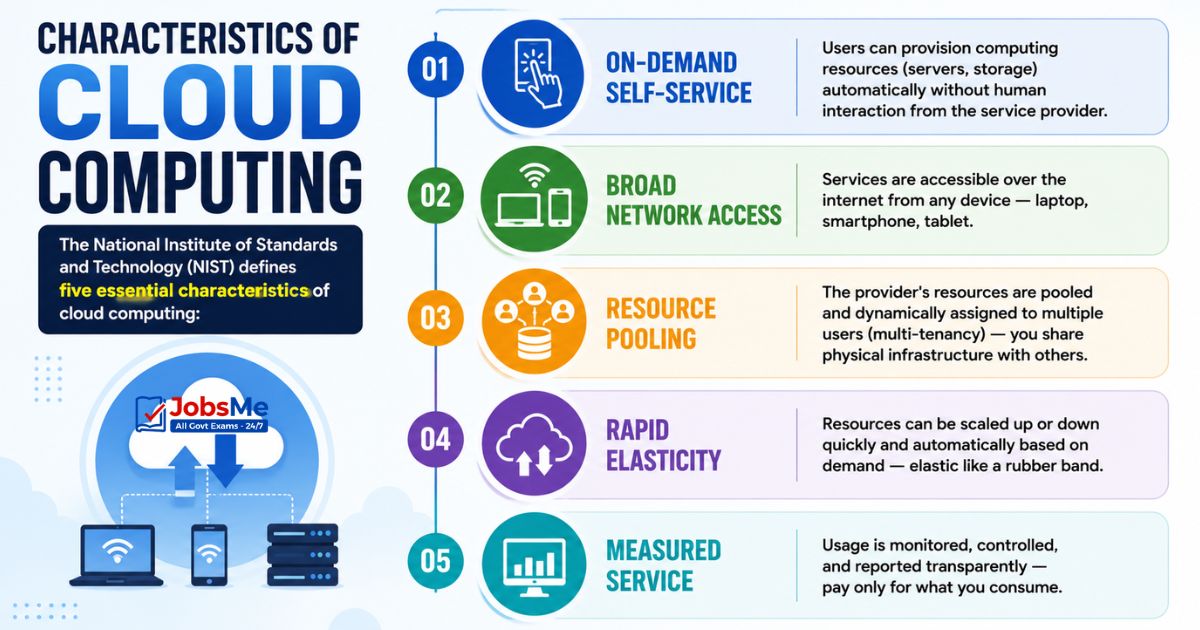
| Characteristic | Description |
|---|---|
| On-Demand Self-Service | Users can provision computing resources (servers, storage) automatically without human interaction from the service provider |
| Broad Network Access | Services are accessible over the internet from any device — laptop, smartphone, tablet |
| Resource Pooling | The provider's resources are pooled and dynamically assigned to multiple users (multi-tenancy) — you share physical infrastructure with others |
| Rapid Elasticity | Resources can be scaled up or down quickly and automatically based on demand — elastic like a rubber band |
| Measured Service | Usage is monitored, controlled, and reported transparently — pay only for what you consume |
Advantages and Disadvantages of Cloud Computing
| Advantages | Disadvantages |
|---|---|
| Cost savings — no hardware purchase; pay-as-you-go | Internet dependency — no internet = no access |
| Scalability — instantly scale up or down | Security concerns — data stored off-premises |
| Accessibility — access from anywhere, any device | Privacy issues — data may be subject to foreign laws |
| Automatic updates — provider manages software updates | Vendor lock-in — difficult to switch providers |
| Disaster recovery — data backed up in multiple locations | Latency — network delays for some applications |
| Collaboration — teams can work on same files simultaneously | Compliance — regulatory requirements may restrict cloud use |
| No hardware maintenance — provider handles physical infrastructure | Downtime risk — provider outages affect all customers |
Cloud Deployment Models
Deployment models define who owns, manages, and accesses the cloud infrastructure.
Public Cloud
| Feature | Details |
|---|---|
| Ownership | Owned and operated by a third-party cloud provider |
| Access | Available to the general public over the internet |
| Cost | Pay-as-you-go; no upfront capital cost |
| Security | Shared infrastructure — less control over security |
| Scalability | Virtually unlimited |
| Examples | Amazon Web Services (AWS), Microsoft Azure, Google Cloud Platform (GCP) |
| Used by | Startups, SMEs, individuals, cost-conscious organisations |
Private Cloud
| Feature | Details |
|---|---|
| Ownership | Owned and operated by one organisation exclusively |
| Access | Accessible only to that organisation's employees |
| Cost | High — organisation bears full infrastructure cost |
| Security | Highest — complete control over security and compliance |
| Scalability | Limited by own hardware investment |
| Examples | Organisation's own on-premise data centre; VMware private cloud |
| Used by | Banks, government agencies, healthcare — organisations with strict data privacy requirements |
Hybrid Cloud
| Feature | Details |
|---|---|
| Structure | Combination of public and private cloud — data and applications can move between them |
| Flexibility | Run sensitive workloads on private cloud; use public cloud for variable demand |
| Use case | Keep sensitive customer data on private cloud; run analytics on public cloud |
| Used by | Most large enterprises — banks, insurance companies |
| Advantage | Best of both worlds — security of private + scalability of public |
Community Cloud
| Feature | Details |
|---|---|
| Structure | Shared cloud infrastructure for a specific community of organisations with shared concerns (regulatory, mission) |
| Examples | Government departments sharing a cloud, hospitals in a region sharing health data cloud |
| Ownership | Shared among member organisations or managed by a third party |
| Used by | Government agencies, research institutions, healthcare consortiums |
Deployment Models - Quick Comparison
| Model | Who Can Access | Who Owns | Security | Cost |
|---|---|---|---|---|
| Public | Anyone (public) | Cloud provider | Lower | Pay-per-use (lowest) |
| Private | One organisation only | Organisation | Highest | High (own infrastructure) |
| Hybrid | Flexible | Mixed | Balanced | Balanced |
| Community | Specific group | Shared/provider | Moderate | Shared cost |
Cloud Service Models
Service models define what level of computing service is provided — what the provider manages versus what the customer manages.
IaaS (Infrastructure as a Service)
| Feature | Details |
|---|---|
| Full Form | Infrastructure as a Service |
| What it provides | Virtual hardware — virtual servers (compute), storage, networking, load balancers over the internet |
| Customer manages | Operating system, middleware, applications, data |
| Provider manages | Physical servers, storage hardware, networking hardware, virtualisation |
| Best for | System administrators, IT teams that need full control without buying hardware |
| Examples | Amazon EC2 (Elastic Compute Cloud), Google Compute Engine, Microsoft Azure VMs, IBM Cloud Bare Metal |
| Analogy | Renting an empty flat — you get the space; you furnish and decorate it yourself |
PaaS (Platform as a Service)
| Feature | Details |
|---|---|
| Full Form | Platform as a Service |
| What it provides | A development platform — tools, frameworks, databases, and runtime environment for developers to build, test, and deploy applications |
| Customer manages | Applications and data only |
| Provider manages | Infrastructure, OS, middleware, runtime environment |
| Best for | Software developers who want to focus on code without managing infrastructure |
| Examples | Google App Engine, Heroku, Microsoft Azure App Service, AWS Elastic Beanstalk, Red Hat OpenShift |
| Analogy | Renting a furnished kitchen — you just cook (write code); the kitchen tools are provided |
SaaS (Software as a Service)
| Feature | Details |
|---|---|
| Full Form | Software as a Service |
| What it provides | Complete software applications delivered over the internet — no installation required |
| Customer manages | Nothing — just uses the software via browser |
| Provider manages | Everything — infrastructure, OS, application, updates, security |
| Best for | End users who just want to use software without IT complexity |
| Billing | Subscription-based (monthly/annual) |
| Examples | Gmail, Google Docs, Microsoft Office 365, Salesforce, Zoom, Slack, Dropbox, Netflix, Canva |
| Analogy | Ordering food at a restaurant — you just eat; the kitchen, chef, and service are all managed for you |
FaaS (Function as a Service)
| Feature | Details |
|---|---|
| Full Form | Function as a Service |
| Also called | Serverless Computing |
| What it provides | Run individual functions (pieces of code) in response to events — no server management |
| Billing | Pay per function execution (millisecond billing) — you pay only when your code runs |
| Examples | AWS Lambda, Google Cloud Functions, Azure Functions |
| Best for | Event-driven applications, microservices, chatbots, APIs |
DaaS (Desktop as a Service)
| Feature | Details |
|---|---|
| Full Form | Desktop as a Service |
| What it provides | A complete virtual desktop environment (Windows/Linux desktop) delivered from the cloud — access from any device |
| Examples | Amazon WorkSpaces, Microsoft Windows 365, Citrix DaaS |
| Best for | Remote workers, call centres, organisations providing secure desktops to employees |
Service Models - Quick Comparison
| Model | Provider Manages | Customer Manages | Examples |
|---|---|---|---|
| IaaS | Hardware only | OS + App + Data | AWS EC2, Azure VMs |
| PaaS | Hardware + OS + Platform | App + Data only | Google App Engine, Heroku |
| SaaS | Everything | Nothing (just uses) | Gmail, Office 365, Zoom |
| FaaS | Everything (serverless) | Just the function code | AWS Lambda |
| DaaS | Full virtual desktop | Just logs in | Amazon WorkSpaces |
What Does Each Model Manage? (Pizza Analogy)
Think of computing like making pizza:
| Approach | IaaS | PaaS | SaaS |
|---|---|---|---|
| Analogy | You rent a kitchen (oven, fridge) — bring your own ingredients and cook | You rent a kitchen that's already set up — bring only your recipe and ingredients | You order pizza — just enjoy it |
| You manage | OS, apps, data | Only your app code and data | Nothing |
| Provider manages | Physical servers only | Servers + OS + Platform | Everything |
Major Cloud Providers (2024)
| Provider | Company | Market Share (2024) | Flagship Services |
|---|---|---|---|
| AWS (Amazon Web Services) | Amazon | ~31% (Largest) | EC2, S3, Lambda, RDS, CloudFront |
| Microsoft Azure | Microsoft | ~24% | Azure VMs, Azure AD, Azure AI, Office 365 |
| Google Cloud (GCP) | ~11% | Compute Engine, BigQuery, GKE, Google AI | |
| IBM Cloud | IBM | Small share | Enterprise-focused; strong in AI (Watson) |
| Oracle Cloud | Oracle | Small share | Database-focused; OCI |
| Alibaba Cloud | Alibaba | Growing | Dominant in China; expanding globally |
Key AWS Services to Know:
| Service | Purpose |
|---|---|
| EC2 (Elastic Compute Cloud) | Virtual servers (IaaS) |
| S3 (Simple Storage Service) | Object storage |
| Lambda | Serverless computing (FaaS) |
| RDS | Managed relational databases |
| CloudFront | Content Delivery Network (CDN) |
| IAM | Identity and Access Management |
Cloud Storage Services
Cloud storage allows users to store files online and access them from any device.
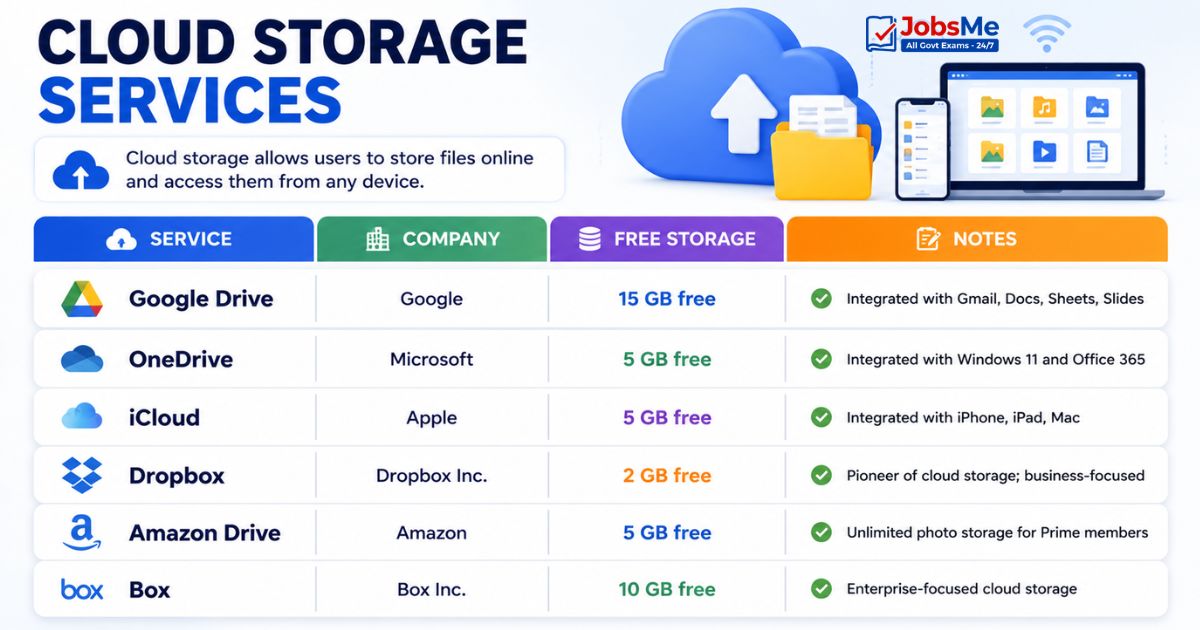
| Service | Company | Free Storage | Notes |
|---|---|---|---|
| Google Drive | 15 GB free | Integrated with Gmail, Docs, Sheets, Slides | |
| OneDrive | Microsoft | 5 GB free | Integrated with Windows 11 and Office 365 |
| iCloud | Apple | 5 GB free | Integrated with iPhone, iPad, Mac |
| Dropbox | Dropbox Inc. | 2 GB free | Pioneer of cloud storage; business-focused |
| Amazon Drive | Amazon | 5 GB free | Unlimited photo storage for Prime members |
| Box | Box Inc. | 10 GB free | Enterprise-focused cloud storage |
Memory Aid for Free Storage:
Google = 15 GB (most generous free tier) OneDrive, iCloud, Amazon = 5 GB each Dropbox = 2 GB (least free storage)
New and Emerging Cloud Concepts
Serverless Computing
| Feature | Details |
|---|---|
| Definition | A cloud model where the cloud provider fully manages the server infrastructure — developers just write and upload functions/code |
| Billing | Pay per execution (milliseconds) — no charge when code is not running |
| Auto-scaling | Automatically scales from zero to massive load instantly |
| Key point | "Serverless" doesn't mean no servers — it means developers don't manage servers |
| Examples | AWS Lambda, Azure Functions, Google Cloud Functions |
| Best for | APIs, event-driven apps, chatbots, IoT backends |
Edge Computing
| Feature | Details |
|---|---|
| Definition | Processing data near the source (at the "edge" of the network — close to IoT devices, sensors) instead of sending it to a distant cloud data centre |
| Why needed | For applications requiring very low latency — autonomous vehicles, industrial robots, real-time video analytics |
| Advantage | Dramatically reduced latency; reduced bandwidth consumption; works even with intermittent connectivity |
| Examples | Smart factory sensors, autonomous vehicle computers, retail analytics cameras |
| Relationship to cloud | Edge computing complements cloud — time-sensitive processing at the edge; complex analytics in the cloud |
Fog Computing
| Feature | Details |
|---|---|
| Definition | An intermediate layer between IoT edge devices and the distant cloud — a "fog" that sits between the "ground" (edge devices) and the "sky" (cloud) |
| Also called | Fogging |
| Purpose | Provides computing, storage, and networking services closer to the edge than the cloud, but with more resources than individual edge devices |
| Difference from Edge | Fog computing is a distributed layer between edge and cloud; edge computing is at the very device level |
Multi-Cloud
| Feature | Details |
|---|---|
| Definition | Using multiple cloud providers simultaneously for different services or workloads |
| Why organisations use it | Avoid vendor lock-in; best-of-breed services; redundancy and disaster recovery; cost optimisation |
| Example | Use AWS for compute, Google Cloud for AI/ML, Azure for Office 365 integration |
| Trend | Most large enterprises now use 2-3 cloud providers |
Containerisation and Docker
| Feature | Details |
|---|---|
| Container | A lightweight, portable package that contains an application and ALL its dependencies (code, runtime, libraries, config) — runs consistently anywhere |
| Difference from VMs | Containers share the host OS kernel (lighter, faster); VMs include a full guest OS (heavier) |
| Key Tool | Docker — the most popular containerisation platform |
| Benefits | Consistent environments; faster deployment; efficient resource use; easy scaling |
| Use case | "It works on my machine" problem solved — containers run identically everywhere |
Container Orchestration and Kubernetes
| Feature | Details |
|---|---|
| Problem | When you have hundreds of containers running across multiple servers, managing them manually is impossible |
| Solution | Container Orchestration — automated management of container deployment, scaling, networking, and health monitoring |
| Key Tool | Kubernetes (K8s) — developed by Google; now the industry standard |
| Also | Docker Swarm, Apache Mesos |
DevOps
| Feature | Details |
|---|---|
| Definition | A culture and set of practices that combines software Development (Dev) and IT Operations (Ops) teams to deliver software faster and more reliably |
| Goal | Break down silos between developers and operations; automate manual processes; deploy updates continuously |
| Key practices | Continuous Integration, Continuous Deployment, Infrastructure as Code, monitoring |
| Tools | Jenkins, GitLab CI/CD, Ansible, Terraform, Docker, Kubernetes |
CI/CD (Continuous Integration / Continuous Deployment)
| Feature | Details |
|---|---|
| CI (Continuous Integration) | Developers frequently merge code changes into a shared repository; automated tests run on every merge to catch bugs early |
| CD (Continuous Deployment) | Every code change that passes automated testing is automatically deployed to production without manual intervention |
| Benefit | Faster software delivery; fewer bugs in production; quick feedback loop |
| Tools | Jenkins, GitHub Actions, GitLab CI, CircleCI |
Memory Tricks
🔑 Service Models - "IPS FD" or Pizza Analogy:
IaaS = Infrastructure (rent the kitchen) PaaS = Platform (rent the furnished kitchen) SaaS = Software (order the pizza — just eat) FaaS = Function (pay per bite) DaaS = Desktop (virtual PC) Trick: "I Pay Sometimes For Desktops"
🔑 Deployment Models - "PuPrHyCo":
Public = Anyone can use (AWS, Azure) Private = Only one org (bank's own cloud) Hybrid = Mix of both (most enterprises) Community = Specific group (govt departments) Mnemonic: "Public Prefers Hybrid Community"
🔑 Cloud Market Share Order (2024):
AWS (31%) > Azure (24%) > GCP (11%) "Amazon Beats Microsoft. Google Chases."
🔑 Cloud Storage Free Space:
Google Drive = 15 GB (G = 15 letters in "Google Drive Inc") OneDrive, iCloud, Amazon = 5 GB each Dropbox = 2 GB (smallest)
🔑 IaaS vs PaaS vs SaaS - Who Manages What:
IaaS — I manage more (OS + App + Data) PaaS — Partly managed (only App + Data) SaaS — Supplier manages everything; I just Sign in
🔑 Edge vs Fog vs Cloud:
Edge = At the device (fastest, least delay) Fog = Between edge and cloud (middle) Cloud = Far away data centre (most power) "Edge is on the Ground, Fog is in the Middle, Cloud is in the Sky"
One-Liner Recap (Quick Revision)
- Cloud Computing is the delivery of computing services (servers, storage, databases, networking, software) over the internet on a pay-as-you-go basis, eliminating the need to own physical hardware.
- The five essential characteristics of cloud computing per NIST are On-Demand Self-Service, Broad Network Access, Resource Pooling, Rapid Elasticity, and Measured Service.
- Public Cloud is accessible to anyone over the internet (AWS, Azure, GCP); Private Cloud is used exclusively by one organisation with highest security; Hybrid Cloud combines both.
- IaaS (Infrastructure as a Service) provides virtual hardware — the customer manages OS, apps, and data; AWS EC2 and Google Compute Engine are key examples.
- PaaS (Platform as a Service) provides a development platform — the customer manages only the application code and data; Google App Engine and Heroku are examples.
- SaaS (Software as a Service) delivers complete software over the internet on subscription — the provider manages everything; Gmail, Office 365, Zoom, and Salesforce are examples.
- FaaS (Function as a Service), also called Serverless Computing, runs individual code functions on demand with millisecond billing — pay only when code executes; AWS Lambda is the key example.
- Amazon Web Services (AWS) holds the largest cloud market share at ~31%, followed by Microsoft Azure (~24%) and Google Cloud Platform (GCP) at ~11%.
- Google Drive offers 15 GB free cloud storage; OneDrive (Microsoft), iCloud (Apple), and Amazon Drive each offer 5 GB free; Dropbox offers only 2 GB free.
- Serverless Computing means the cloud provider fully manages all server infrastructure — developers write only the function code and pay only per execution, with no idle cost.
- Edge Computing processes data near the source (IoT devices, sensors) instead of the cloud, dramatically reducing latency for time-sensitive applications like autonomous vehicles.
- Fog Computing is an intermediate distributed layer between edge devices and the distant cloud, providing computing, storage, and networking services closer to the edge.
- Containerisation packages an application with all its dependencies into a portable container that runs consistently anywhere — Docker is the most popular containerisation tool.
- Kubernetes (K8s) is the industry-standard container orchestration platform developed by Google that automates deployment, scaling, and management of containerised applications.
- DevOps combines software Development and IT Operations practices to deliver software faster; CI/CD (Continuous Integration/Continuous Deployment) automates testing and deployment pipelines.
Preparing for competitive exams requires consistent revision. Platforms like JobsMe simplify preparation through:
- Daily Current Affairs
- Weekly Current Affairs
- Monthly Current Affairs
- Static GK for Competitive Exams
- Latest Government Jobs Notifications
- Banking Awareness
Stay updated, revise regularly, and attempt quizzes for better accuracy in UPSC, SSC CGL, IBPS PO/Clerk, SBI, RBI Grade B, RRB NTPC, Defence, and State PSC exams.
Free quiz • No signup required
Put this topic into practice with Daily Current Affairs Quiz 9 June 2026 MCQs for UPSC, SSC, Banking, Railways, Defence & State PSC Exams. It is the quickest way to reinforce what you just learned.
Frequently Asked Questions
What is Cloud Computing and what are its main benefits?
What is the difference between IaaS, PaaS, and SaaS?
What is the difference between Public, Private, Hybrid, and Community Cloud?
Which company has the largest cloud market share and what are the top three providers?
What is Serverless Computing and how is it different from traditional cloud?
What is Edge Computing and why is it important?
What is Docker and what problem does it solve?
What is Kubernetes and how does it relate to Docker?

About the author