
DBMS – Database Management System Complete Notes for IBPS, SSC, RRB & Govt Exams
Database Management System (DBMS) is a high-yield chapter in IBPS, SSC CGL, RRB, and all government job exams. This post covers everything — what is a database, types of databases, DBMS vs RDBMS, ANSI/SPARC three-level architecture, database components, all types of keys (Primary, Foreign, Candidate, Composite), SQL commands (DDL, DML, DCL, TCL), SQL constraints, the Entity-Relationship (ER) model, normalisation, and key database terms — with memory tricks, one-liners, and 10 exam-focused FAQs.
Jump to section
- Introduction: Why DBMS is a Must-Prepare Topic for Banking Exams
- What is a Database?
- Data vs Information - Recap
- What is DBMS (Database Management System)?
- DBMS vs RDBMS
- Types of Databases
- DBMS Architecture - ANSI/SPARC Three-Level Model
- Components of a Database
- Keys in a Database - Complete Guide
- SQL (Structured Query Language)
- Entity-Relationship (ER) Model
- Normalisation
- Key Database Terms
- Memory Tricks
- One-Liner Recap (Quick Revision)
Introduction: Why DBMS is a Must-Prepare Topic for Banking Exams
Every bank is fundamentally a data management organisation. Customer accounts, transaction records, loan databases, employee records, branch data — all of this runs on Database Management Systems. Understanding DBMS is not just academic — it is the technical foundation of everything banks do digitally.
In government job exams, DBMS is tested with increasing frequency and depth:
- "Which key uniquely identifies each record in a table?" → Primary Key
- "SQL stands for ___?" → Structured Query Language
- "DROP command belongs to which SQL category?" → DDL
- "Which is NOT a constraint in SQL?" → Common trick question
- "E.F. Codd is associated with ___?" → RDBMS (presented 12 rules in 1970)
- "Which relationship is represented by a Diamond in ER diagrams?" → Relationship
DBMS also connects with Big Data, Data Mining, Cloud Computing (databases as a service), and Cyber Security (database security). For aspirants targeting IBPS SO (IT Officer) positions, this chapter requires even deeper preparation.
This post gives you the complete DBMS picture — from basic definitions to SQL commands to ER models — with everything organised for exam success.
What is a Database?
A database is an organised, structured collection of related information (data) that is stored and managed so it can be easily accessed, managed, and updated.
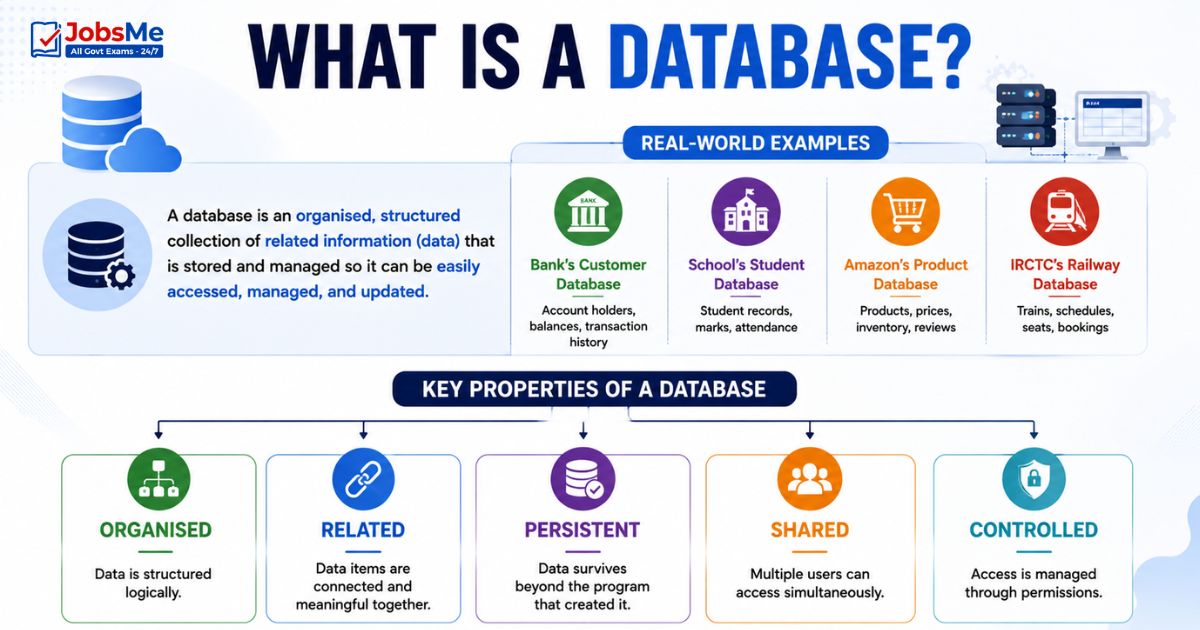
Real-World Examples:
- A bank's customer database (account holders, balances, transaction history)
- A school's student database (student records, marks, attendance)
- Amazon's product database (products, prices, inventory, reviews)
- IRCTC's railway database (trains, schedules, seats, bookings)
Key Properties of a Database:
- Organised — data is structured logically
- Related — data items are connected and meaningful together
- Persistent — data survives beyond the program that created it
- Shared — multiple users can access simultaneously
- Controlled — access is managed through permissions
Data vs Information - Recap
| Aspect | Data | Information |
|---|---|---|
| Definition | Raw, unprocessed facts | Processed, meaningful output |
| Example | A student's test score: 85 | Class average score: 78.5 |
| Nature | Input to processing | Output of processing |
Exam Key: A bank stores raw data (transactions, account numbers, balances); the DBMS processes it to produce meaningful information (monthly statements, interest calculations, audit reports).
What is DBMS (Database Management System)?
A DBMS (Database Management System) is a collection of programs (software) that enables users to create, access, maintain, and manipulate a database. It serves as the interface between the database and its users or application programs.
Key Scientist: Dr. Edgar F. (E.F.) Codd — presented the 12 rules for RDBMS in 1970, laying the theoretical foundation for relational databases. He is called the Father of the Relational Database.
Purpose of DBMS:
- Bridge the gap between raw data and meaningful information
- Reduce data redundancy (same data stored in multiple places)
- Ensure data integrity (accuracy and consistency)
- Provide data security and access control
- Enable concurrent access by multiple users
- Provide backup and recovery mechanisms
Popular DBMS Software:
| Software | Type | Notes |
|---|---|---|
| MySQL | RDBMS | Open-source; most popular web database |
| Oracle | RDBMS | Enterprise-grade; banking and large organisations |
| Microsoft SQL Server | RDBMS | Microsoft's enterprise database |
| PostgreSQL | RDBMS | Advanced open-source; powerful features |
| MS Access | RDBMS | Desktop RDBMS; part of Microsoft Office |
| SQLite | RDBMS | Lightweight; embedded in mobile apps |
| MongoDB | NoSQL | Document-based NoSQL |
| dBASE | DBMS | One of the earliest PC DBMS |
| FoxPro | DBMS | Early PC DBMS; now discontinued |
DBMS vs RDBMS
| Feature | DBMS | RDBMS |
|---|---|---|
| Structure | Stores data as files | Stores data in tables (rows and columns) |
| Relationships | No formal relationship between data | Data is related through keys (Primary Key, Foreign Key) |
| Normalisation | Not mandatory | Follows normalisation rules |
| Data redundancy | High | Low (minimised through normalisation) |
| Security | Low | High — row-level and column-level security |
| Query language | Limited | Full SQL support |
| ACID compliance | No | Yes — Atomicity, Consistency, Isolation, Durability |
| Examples | File system, dBASE, FoxPro | Oracle, MySQL, PostgreSQL, SQL Server, MS Access |
Types of Databases
Hierarchical Database
| Feature | Details |
|---|---|
| Structure | Tree structure — data organised in parent-child relationships; each child has only one parent |
| Navigation | From root to child nodes only (top-down) |
| Advantage | Fast for hierarchical data; simple structure |
| Disadvantage | Inflexible — difficult to query non-hierarchical relationships |
| Examples | IBM IMS (Information Management System); early banking databases |
Network Database
| Feature | Details |
|---|---|
| Structure | Data organised as a graph — records connected by links; a child can have multiple parents |
| Navigation | More flexible than hierarchical |
| Advantage | Handles complex many-to-many relationships better than hierarchical |
| Disadvantage | Complex structure; difficult to maintain |
| Standard | CODASYL model |
Relational Database
| Feature | Details |
|---|---|
| Structure | Data stored in tables (relations) — rows (records/tuples) and columns (fields/attributes) |
| Relationships | Tables related through keys (Primary Key, Foreign Key) |
| Language | SQL (Structured Query Language) |
| Advantage | Most flexible; easy to query; widely supported; good data integrity |
| Foundation | E.F. Codd's 12 rules (1970) |
| Examples | Oracle, MySQL, PostgreSQL, SQL Server, MS Access |
| Most widely used | Dominant database model for 50+ years |
Object-Oriented Database
| Feature | Details |
|---|---|
| Structure | Data stored as objects — similar to OOP concepts |
| Advantage | Handles complex data types (images, audio, video) that relational databases struggle with |
| Examples | db4o, ObjectDB |
| Used in | CAD/CAM, multimedia applications |
NoSQL Database
| Feature | Details |
|---|---|
| Definition | Non-relational databases designed for unstructured, semi-structured, or highly variable data at massive scale |
| No fixed schema | Schema-less — data structure can vary between records |
| Scalability | Designed for horizontal scaling — adding more servers |
| Advantage | Handles big data, real-time web apps, social media data |
| Disadvantage | Less ACID compliance; complex queries harder |
NoSQL Database Types
| Type | Description | Examples |
|---|---|---|
| Document Store | Stores data as JSON/XML documents; each document can have different structure | MongoDB, CouchDB |
| Key-Value Store | Simplest NoSQL; stores data as key-value pairs; extremely fast lookups | Redis, DynamoDB, Memcached |
| Column-Family | Stores data in column families; optimised for read/write of large datasets | Apache Cassandra, HBase |
| Graph Database | Stores data as nodes and edges; optimised for relationship-heavy data | Neo4j, Amazon Neptune |
DBMS Architecture - ANSI/SPARC Three-Level Model
The ANSI/SPARC (American National Standards Institute / Standards Planning and Requirements Committee) model defines three levels of abstraction in a DBMS — ensuring that changes at one level don't affect other levels. This is called Data Independence.
External Level (View Level)
| Feature | Details |
|---|---|
| Also called | View Level; User Level |
| Position | Highest level — closest to the user |
| Description | Defines how individual users or user groups see the data — each user sees only the data relevant to them |
| Example | A bank teller sees only customer account data; a branch manager sees all accounts in the branch; an audit officer sees transaction logs |
| Key concept | Multiple different external views from the same underlying data |
Conceptual Level (Logical Level)
| Feature | Details |
|---|---|
| Also called | Logical Level; Community Level |
| Position | Middle level |
| Description | Defines what data is stored in the database and the relationships between data items — the overall logical structure without physical implementation details |
| Example | Defines that there is a Customer table with CustomerID, Name, Account Number, Balance — but not HOW it's physically stored on disk |
| Key concept | The complete logical map of the entire database visible to DBAs |
Internal Level (Physical Level)
| Feature | Details |
|---|---|
| Also called | Physical Level; Storage Level |
| Position | Lowest level — closest to physical storage |
| Description | Defines how data is physically stored on disk — file organisation, indexing methods, storage structures, access paths |
| Example | Data is stored in B-tree indexed files; accounts table uses hash indexing on AccountID |
| Key concept | Completely hidden from users; only DB administrators and the DBMS itself deal with this level |
Three Levels Summary:
| Level | Also Called | What It Describes | Who Sees It |
|---|---|---|---|
| External | View Level | Individual user views | End users, application programs |
| Conceptual | Logical Level | Overall logical structure | DBAs, database designers |
| Internal | Physical Level | Physical storage details | DBMS engine, DBAs only |
Data Independence:
- Logical Data Independence — changing the conceptual level doesn't affect external views
- Physical Data Independence — changing the internal level doesn't affect the conceptual level
Components of a Database
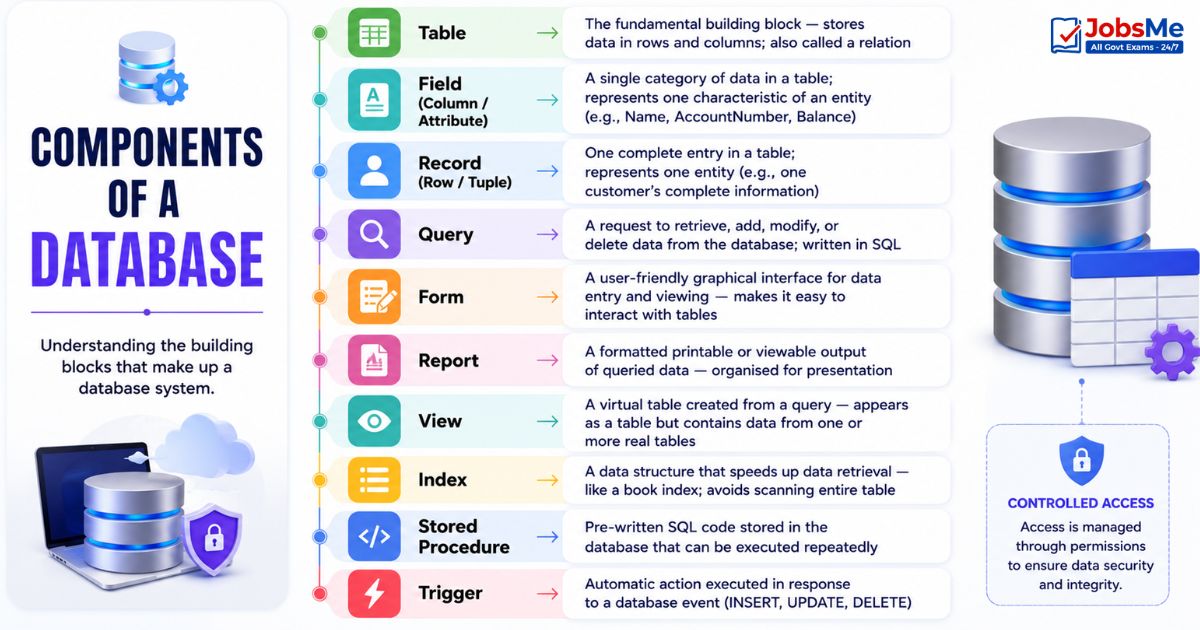
| Component | Description |
|---|---|
| Table | The fundamental building block — stores data in rows and columns; also called a relation |
| Field (Column / Attribute) | A single category of data in a table; represents one characteristic of an entity (e.g., Name, AccountNumber, Balance) |
| Record (Row / Tuple) | One complete entry in a table; represents one entity (e.g., one customer's complete information) |
| Query | A request to retrieve, add, modify, or delete data from the database; written in SQL |
| Form | A user-friendly graphical interface for data entry and viewing — makes it easy to interact with tables |
| Report | A formatted printable or viewable output of queried data — organised for presentation |
| View | A virtual table created from a query — appears as a table but contains data from one or more real tables |
| Index | A data structure that speeds up data retrieval — like a book index; avoids scanning entire table |
| Stored Procedure | Pre-written SQL code stored in the database that can be executed repeatedly |
| Trigger | Automatic action executed in response to a database event (INSERT, UPDATE, DELETE) |
Key Measures:
- Cardinality — Number of rows (tuples) in a table
- Degree — Number of columns (attributes) in a table
Keys in a Database - Complete Guide
Keys are one or more attributes (columns) that uniquely identify rows in a table and establish relationships between tables. Understanding all key types is essential for banking exams.
Primary Key
| Feature | Details |
|---|---|
| Definition | An attribute (or set of attributes) that uniquely identifies each record in a table |
| Rules | Must be UNIQUE (no two rows have the same value); cannot be NULL (must have a value); only ONE primary key per table |
| Examples | CustomerID in a Customers table; AccountNumber in an Accounts table; EmployeeID in an Employees table |
| Exam Key | Primary Key = Unique + Not Null + One per table |
Candidate Key
| Feature | Details |
|---|---|
| Definition | Any attribute (or minimal set of attributes) that could serve as a Primary Key — uniquely identifies records with no redundancy |
| Relationship to PK | All Primary Keys are Candidate Keys; but not all Candidate Keys become the Primary Key |
| Example | In a Students table: StudentID, Email, and AadharNumber are all candidate keys (each uniquely identifies a student) |
| Exam Key | Candidate Key = All possible Primary Keys; "candidates" for the primary key role |
Alternate Key
| Feature | Details |
|---|---|
| Definition | Candidate Keys that were NOT chosen as the Primary Key |
| Example | If StudentID is chosen as Primary Key, then Email and AadharNumber become Alternate Keys |
| Exam Key | Alternate Key = Candidate Key − Primary Key |
Foreign Key
| Feature | Details |
|---|---|
| Definition | An attribute in one table that is the Primary Key in another table — it establishes a link between two tables |
| Purpose | Enforces Referential Integrity — ensures values in the foreign key column actually exist in the referenced table |
| Example | CustomerID in the Accounts table is a Foreign Key referencing CustomerID (Primary Key) in the Customers table |
| Exam Key | Foreign Key = links tables; references Primary Key in another table; enables joins |
Composite Key
| Feature | Details |
|---|---|
| Definition | A Primary Key made of two or more columns combined — no single column can uniquely identify a row, but the combination can |
| Example | In a Course_Enrollment table: (StudentID + CourseID) together form the composite key — one student can enroll in many courses; one course has many students; but the combination is unique |
| Exam Key | Composite Key = multiple columns together form the unique identifier |
Super Key
| Feature | Details |
|---|---|
| Definition | Any set of attributes that can uniquely identify a record — may include unnecessary attributes |
| Relationship | Every Primary Key is a Super Key; not all Super Keys are Candidate Keys (may have extra attributes) |
| Example | {StudentID}, {StudentID, Name}, {StudentID, Email}, {Email}, {AadharNumber} are all Super Keys; but {StudentID, Name} has redundant "Name" — so it's a Super Key but not a Candidate Key |
| Exam Key | Super Key = any combination that uniquely identifies; Candidate Key = minimal Super Key |
Keys Summary Table
| Key Type | Description | Null Allowed? | Multiple per Table? |
|---|---|---|---|
| Primary Key | Uniquely identifies each record; chosen as the main identifier | No | No (only one) |
| Candidate Key | Any attribute that could be Primary Key | No | Yes (multiple possible) |
| Alternate Key | Candidate keys not chosen as Primary Key | No | Yes |
| Foreign Key | References Primary Key in another table | Yes (usually) | Yes |
| Composite Key | Primary key made of two or more columns | No | No |
| Super Key | Any set of attributes that uniquely identifies a row | No | Yes |
SQL (Structured Query Language)
SQL (Structured Query Language) is the standard language for creating, managing, and querying relational databases. It is an ANSI (American National Standards Institute) standard.
Key Fact: SQL was developed by IBM (Donald Chamberlin and Raymond Boyce) in the early 1970s.
SQL Constraints
Constraints are rules enforced on table columns to maintain data integrity:
| Constraint | Description | Example |
|---|---|---|
| NOT NULL | The column cannot store a NULL (empty) value | AccountNumber NOT NULL |
| UNIQUE | All values in the column must be different | Email UNIQUE |
| CHECK | Values must satisfy a specific condition | Age CHECK (Age >= 18) |
| DEFAULT | Specifies a default value if none is provided | Status DEFAULT 'Active' |
| PRIMARY KEY | Uniquely identifies each record; combines NOT NULL + UNIQUE | CustomerID PRIMARY KEY |
| FOREIGN KEY | Links to Primary Key in another table; enforces referential integrity | CustomerID FOREIGN KEY |
Database Languages - DDL, DML, DCL, TCL
SQL is divided into four sub-languages based on function:
| Language | Full Form | Purpose | Commands |
|---|---|---|---|
| DDL | Data Definition Language | Defines and modifies the structure (schema) of the database | CREATE, ALTER, DROP, TRUNCATE, RENAME |
| DML | Data Manipulation Language | Accesses and manipulates the actual data inside tables | SELECT, INSERT, UPDATE, DELETE |
| DCL | Data Control Language | Controls access to data — grants and revokes permissions | GRANT, REVOKE |
| TCL | Transaction Control Language | Manages transactions — controls commit and rollback | COMMIT, ROLLBACK, SAVEPOINT |
Important SQL Commands
DDL Commands:
| Command | Syntax Example | Purpose |
|---|---|---|
| CREATE | CREATE TABLE Customers (ID INT, Name VARCHAR(100)); | Creates a new table, database, or other object |
| ALTER | ALTER TABLE Customers ADD COLUMN Email VARCHAR(200); | Modifies an existing table structure (add/modify/drop column) |
| DROP | DROP TABLE Customers; | Permanently deletes a table and all its data |
| TRUNCATE | TRUNCATE TABLE Customers; | Deletes all rows from a table but keeps the table structure |
DML Commands:
| Command | Syntax Example | Purpose |
|---|---|---|
| SELECT | SELECT Name, Balance FROM Accounts WHERE Balance > 10000; | Retrieves data from one or more tables |
| INSERT | INSERT INTO Customers VALUES (1, 'Rahul', 'rahul@email.com'); | Adds new records to a table |
| UPDATE | UPDATE Accounts SET Balance = 15000 WHERE AccountID = 101; | Modifies existing records |
| DELETE | DELETE FROM Customers WHERE CustomerID = 5; | Removes specific records from a table |
DCL Commands:
| Command | Purpose |
|---|---|
| GRANT | Gives a user permission to perform specific actions (SELECT, INSERT, etc.) |
| REVOKE | Removes previously granted permissions from a user |
TCL Commands:
| Command | Purpose |
|---|---|
| COMMIT | Permanently saves all changes made in the current transaction |
| ROLLBACK | Undoes all changes made in the current transaction (back to last COMMIT) |
| SAVEPOINT | Creates a checkpoint within a transaction to which you can rollback |
Entity-Relationship (ER) Model
The ER (Entity-Relationship) Model is a conceptual data model used to design a database before implementing it. It provides a visual representation of data and relationships using a diagram called an ER Diagram.
ER Model Elements
| Element | Symbol | Description |
|---|---|---|
| Entity | Rectangle | A real-world object or thing about which data is stored — e.g., Customer, Account, Employee |
| Attribute | Ellipse (Oval) | A property or characteristic of an entity — e.g., Name, Age, AccountNumber |
| Relationship | Diamond | An association between two entities — e.g., "Customer HOLDS Account" |
| Primary Key Attribute | Ellipse with underlined text | The attribute that uniquely identifies an entity |
| Multivalued Attribute | Double Ellipse | An attribute that can have multiple values — e.g., Phone Numbers |
| Derived Attribute | Dashed Ellipse | An attribute derived from another attribute — e.g., Age derived from Date of Birth |
Entity Types:
- Strong Entity — Has its own Primary Key; can exist independently — e.g., Customer
- Weak Entity — Cannot be uniquely identified without a related Strong Entity — e.g., Dependent (family member) of an Employee
Relationship Types
| Type | Description | Example |
|---|---|---|
| One-to-One (1:1) | Each record in Table A relates to exactly one record in Table B and vice versa | One Person has one Passport |
| One-to-Many (1:N) | One record in Table A relates to multiple records in Table B | One Customer has many Accounts |
| Many-to-Many (M:N) | Multiple records in Table A relate to multiple records in Table B | Many Students enroll in many Courses |
Normalisation
Normalisation is the process of organising a database to reduce data redundancy and improve data integrity — by dividing large tables into smaller, related tables and defining relationships between them.
Goals of Normalisation:
- Eliminate data redundancy (same data stored in multiple places)
- Ensure data integrity and consistency
- Remove data anomalies (insertion, update, deletion anomalies)
- Make the database more efficient
Normal Forms:
| Normal Form | Requirement |
|---|---|
| 1NF (First Normal Form) | All columns contain atomic (indivisible) values; no repeating groups; each column has a unique name |
| 2NF (Second Normal Form) | Must be in 1NF + all non-key attributes must be fully dependent on the ENTIRE primary key (no partial dependencies) |
| 3NF (Third Normal Form) | Must be in 2NF + no transitive dependencies (non-key attributes should not depend on other non-key attributes) |
| BCNF (Boyce-Codd Normal Form) | Stricter version of 3NF; every determinant must be a candidate key |
Key Database Terms
| Term | Meaning |
|---|---|
| Schema | The logical structure/blueprint of the database — table names, column names, data types, and relationships |
| Instance | The actual data stored in the database at a specific point in time — the snapshot |
| Data Redundancy | The same data stored in multiple places — wastes storage; causes inconsistency |
| Data Integrity | The accuracy, consistency, and reliability of data throughout its lifecycle |
| Data Independence | The ability to change one level of the DBMS architecture without affecting other levels |
| Validation Rule | A condition that data must satisfy before being accepted into the database |
| Transaction | A single logical unit of work — may involve multiple SQL operations that must all succeed or all fail together |
| ACID Properties | Atomicity, Consistency, Isolation, Durability — guarantees of reliable transaction processing |
| Metadata | "Data about data" — describes the structure of the database (column names, data types, sizes) |
| Data Warehousing | Centralised repository that consolidates data from multiple sources for analysis and reporting |
| OLTP | Online Transaction Processing — systems for day-to-day transactions (banking, retail) |
| OLAP | Online Analytical Processing — systems for complex queries and analysis |
| Stored Procedure | Pre-compiled SQL code stored in the database; executed on demand; improves performance |
| Cursor | A database object used to process individual rows returned by a SQL query one at a time |
ACID Properties Explained:
| Property | Meaning |
|---|---|
| Atomicity | A transaction is all-or-nothing — either all operations complete successfully or none do (no partial transactions) |
| Consistency | A transaction brings the database from one valid state to another valid state — integrity constraints are always maintained |
| Isolation | Concurrent transactions execute as if they were serial — each transaction is isolated from others in progress |
| Durability | Once a transaction is committed, it is permanently saved — even system failure cannot undo it |
Memory Tricks
🔑 Keys Summary - "PCAFC S":
Primary Key (unique, not null, one per table) Candidate Key (all possible PKs) Alternate Key (unused candidate keys) Foreign Key (links tables) Composite Key (multiple columns = one key) Super Key (any unique combination) Mnemonic: "Please Choose A Foreign Country Slowly"
🔑 SQL Sub-languages - "DDL DML DCL TCL":
Definition (CREATE ALTER DROP) = Defines STRUCTURE Manipulation (SELECT INSERT UPDATE DELETE) = Touches DATA Control (GRANT REVOKE) = Controls ACCESS Transaction (COMMIT ROLLBACK) = Manages TRANSACTIONS Mnemonic: "Designers Make Creative Things" = DDL, DML, DCL, TCL
🔑 ACID Properties:
Atomicity = All or Nothing Consistency = Always Valid Isolation = Independent of others Durability = Permanent after commit Mnemonic: "A Computer Is Dependable"
🔑 ER Diagram Shapes:
Entity = Rectangle (both start with straight lines) Attribute = Ellipse (oval, round like 'A') Relationship = Diamond (RE-lationship = DIamond = R+D... different) Trick: "Rectangles hold Entities, Ovals hold Attributes, Diamonds hold Relations"
🔑 DBMS Three Levels:
External = Users Experience (views) Conceptual = Complete Chart (logical) Internal = Inside storage (physical) Order: External (top) → Conceptual (middle) → Internal (bottom)
🔑 TRUNCATE vs DROP vs DELETE:
DELETE = Removes specific rows; can rollback; DML TRUNCATE = Removes ALL rows; keeps table; faster; DDL DROP = Removes ENTIRE table; DDL
One-Liner Recap (Quick Revision)
- A database is an organised collection of related data that can be easily accessed, managed, and updated — banks use databases to store all customer, account, and transaction data.
- DBMS (Database Management System) is software that provides an interface between users and the database, enabling creation, access, manipulation, and management of data.
- Dr. E.F. Codd presented 12 rules for RDBMS in 1970 and is called the Father of the Relational Database — his work forms the theoretical foundation of all modern relational databases.
- RDBMS stores data in tables (rows and columns) with relationships enforced through keys (Primary Key, Foreign Key), supports full SQL, and ensures ACID compliance.
- The ANSI/SPARC three-level architecture has External Level (user views), Conceptual Level (logical structure), and Internal Level (physical storage) — ensuring data independence.
- A Primary Key uniquely identifies each record in a table — it must be unique, cannot be NULL, and only one Primary Key is allowed per table.
- A Foreign Key in one table references the Primary Key in another table, establishing a link between tables and enforcing referential integrity.
- A Candidate Key is any attribute that could serve as a Primary Key; an Alternate Key is a Candidate Key that was not chosen as the Primary Key.
- A Composite Key is a Primary Key made of two or more columns combined — used when no single column can uniquely identify a record.
- SQL (Structured Query Language) is the ANSI standard language for relational databases, divided into DDL (structure), DML (data), DCL (access control), and TCL (transactions).
- DDL commands include CREATE, ALTER, DROP, and TRUNCATE — they define or modify the structure of the database objects.
- DML commands include SELECT, INSERT, UPDATE, and DELETE — they access and manipulate the actual data stored in tables.
- In the ER Model, Entities are represented by Rectangles, Attributes by Ellipses, and Relationships by Diamonds — strong entities have their own primary key while weak entities depend on another entity.
- Normalisation organises a database to reduce redundancy and improve integrity — 1NF removes repeating groups, 2NF removes partial dependencies, and 3NF removes transitive dependencies.
- ACID properties (Atomicity, Consistency, Isolation, Durability) are the four guarantees that RDBMS provides for reliable transaction processing — critical for banking systems.
Preparing for competitive exams requires consistent revision. Platforms like JobsMe simplify preparation through:
- Daily Current Affairs
- Weekly Current Affairs
- Monthly Current Affairs
- Static GK for Competitive Exams
- Latest Government Jobs Notifications
- Banking Awareness
Stay updated, revise regularly, and attempt quizzes for better accuracy in UPSC, SSC CGL, IBPS PO/Clerk, SBI, RBI Grade B, RRB NTPC, Defence, and State PSC exams.
Free quiz • No signup required
Put this topic into practice with Daily Current Affairs Quiz 9 June 2026 MCQs for UPSC, SSC, Banking, Railways, Defence & State PSC Exams. It is the quickest way to reinforce what you just learned.

About the author