Operating System – Complete Notes for IBPS, SSC, RRB & Govt Exams
Operating System is one of the most heavily tested chapters in IBPS, SSC CGL, RRB NTPC, LIC AAO, and other government job exams. This post covers the complete OS notes — definition, functions, all types of operating systems, MS-DOS commands, all Windows versions with features, macOS versions, Linux, mobile operating systems (Android, iOS), booting types, and GUI vs CLI — with memory tricks, one-liners, and 10 exam-focused FAQs.
Jump to section
- Introduction: Why Operating System is a Must-Master Chapter
- What is an Operating System?
- Functions of an Operating System
- Types of Operating Systems
- User Interface - How Users Interact with the OS
- Booting - Starting the Computer
- MS-DOS (Microsoft Disk Operating System)
- Windows Operating System
- macOS - Apple's Desktop Operating System
- Linux - The Open-Source Powerhouse
- Mobile Operating Systems
- Memory Tricks
- One-Liner Recap (Quick Revision)
Introduction: Why Operating System is a Must-Master Chapter
The Operating System is the single most important software on any computer. Every computer interaction — from turning on your laptop to processing an NEFT transaction at a bank — runs through the OS. It is the invisible engine that makes everything possible.
In government job exams, Operating System is one of the highest-weightage topics in Computer Awareness:
- "Which is the first OS on IBM PC?" → MS-DOS
- "Which OS was developed by Linus Torvalds?" → Linux
- "What is the shortcut for Warm Booting?" → Ctrl + Alt + Del
- "The first GUI was designed by ___?" → Xerox Corporation (1970s)
- "Android is based on ___?" → Linux
- "Windows 11 requires TPM ___?" → TPM 2.0
Questions come from every sub-topic — OS types, DOS commands, Windows features, mobile OS facts, and booting concepts. This chapter is also directly relevant to banking — core banking systems run on mainframe OS (IBM z/OS), ATMs run on Windows or Linux, and bank employees use Windows daily.
This post covers every testable detail — from MS-DOS commands to Windows 11 AI features, from Linux kernel facts to Android version history.
What is an Operating System?
An Operating System (OS) is a program (or collection of programs) that acts as an intermediary between the user and the computer hardware. It is the most essential system software — a computer cannot boot, run any program, or perform any useful function without it.
Formal Definition:
An Operating System is a set of programs that manages all hardware resources, provides a platform for application software to run, and enables communication between the user and the hardware — hiding the complexity of hardware from the user.
Key Roles of an OS:
- Resource Manager — manages CPU, memory, storage, and I/O devices
- Platform Provider — provides an environment where application software can run
- User Interface — provides a way for users to interact with the hardware (GUI or CLI)
- Traffic Controller — decides which program gets CPU time and when
Without an OS:
- No programs can run
- No files can be saved or read
- No hardware device works
- No user can interact with the computer
Functions of an Operating System
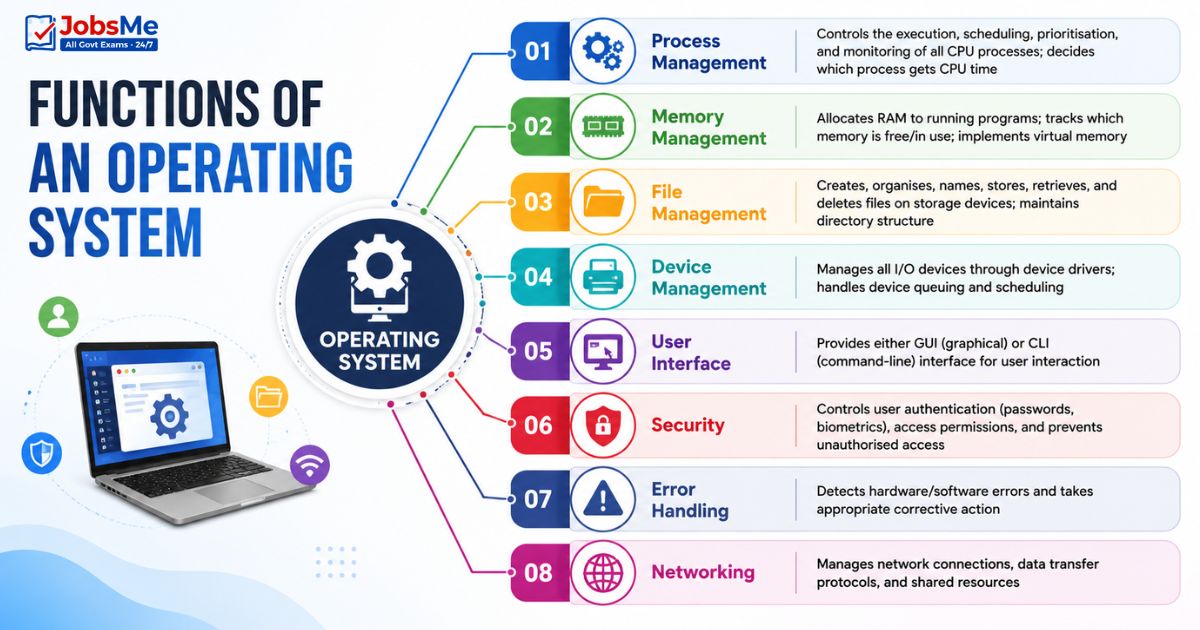
| Function | Description |
|---|---|
| Process Management | Controls the execution, scheduling, prioritisation, and monitoring of all CPU processes; decides which process gets CPU time |
| Memory Management | Allocates RAM to running programs; tracks which memory is free/in use; implements virtual memory |
| File Management | Creates, organises, names, stores, retrieves, and deletes files on storage devices; maintains directory structure |
| Device Management | Manages all I/O devices through device drivers; handles device queuing and scheduling |
| User Interface | Provides either GUI (graphical) or CLI (command-line) interface for user interaction |
| Security | Controls user authentication (passwords, biometrics), access permissions, and prevents unauthorised access |
| Error Handling | Detects hardware/software errors and takes appropriate corrective action |
| Networking | Manages network connections, data transfer protocols, and shared resources |
Types of Operating Systems
Batch Processing OS
| Feature | Details |
|---|---|
| How it works | Similar jobs are grouped (batched) together and executed as a batch without any user interaction during execution |
| User interaction | None during processing |
| Advantage | Efficient for repetitive, large-volume jobs |
| Examples | Early Unix systems, IBM mainframe batch OS |
| Used for | Payroll processing, bank statement generation, data backup |
Single-User OS
| Feature | Details |
|---|---|
| How it works | Designed for only one user at a time — no multi-user support |
| Examples | MS-DOS, Windows 9x series (95, 98, ME) |
| Characteristic | Simple; no user authentication needed; no simultaneous users |
Multi-User OS
| Feature | Details |
|---|---|
| How it works | Multiple users can access the computer system simultaneously — each user gets their own workspace |
| Examples | VMS (DEC), Unix, Linux, Windows Server editions |
| Used in | Universities, offices, banks — multiple terminals connected to one central server |
Multi-Tasking OS
| Feature | Details |
|---|---|
| How it works | Allows more than one process to appear to run simultaneously on a single CPU by rapidly switching between them |
| Examples | Linux, Unix, Windows 95 and above |
| How CPU switching works | CPU switches between processes so fast that all appear to run simultaneously |
Time-Sharing OS
| Feature | Details |
|---|---|
| How it works | Multiple programs share the CPU time in small time slices — each program gets the CPU for a fixed period before the next one gets its turn |
| Examples | macOS, Unix |
| Advantage | Fair CPU usage; no single program monopolises the CPU |
| Key concept | Time Slice — the fixed interval allocated to each process |
Real-Time OS (RTOS)
| Feature | Details |
|---|---|
| How it works | Responds to inputs and events within a guaranteed, predetermined time limit — timing is critical |
| Examples | VxWorks, QNX, FreeRTOS — used in flight reservation systems, aircraft control, missile guidance, medical devices |
| Where used | Military systems, aerospace, ATMs, medical equipment, industrial robots |
| Critical feature | Response time must be guaranteed — even a microsecond delay can be catastrophic |
Multitasking Types - Preemptive vs Cooperative
| Type | How It Works |
|---|---|
| Preemptive Multitasking | The OS controls CPU allocation — it forcibly interrupts a running program after its time slice to give another program a turn; no program can monopolise the CPU; used in modern OS (Windows, Linux) |
| Cooperative Multitasking | Each program controls the CPU as long as it needs; voluntarily yields control when done; if one program freezes, the entire system freezes; used in older OS (Windows 3.x) |
RTOS Types - Hard vs Soft
| Type | Description | Used In |
| Hard RTOS | All tasks MUST finish within their specified time limit — failure means system failure | Nuclear reactors, aircraft flight control, missile guidance |
| Soft RTOS | Time limits are preferred but occasional misses are acceptable without catastrophic failure | Video streaming, audio playback, online gaming |
User Interface - How Users Interact with the OS
GUI (Graphical User Interface)
| Feature | Details |
|---|---|
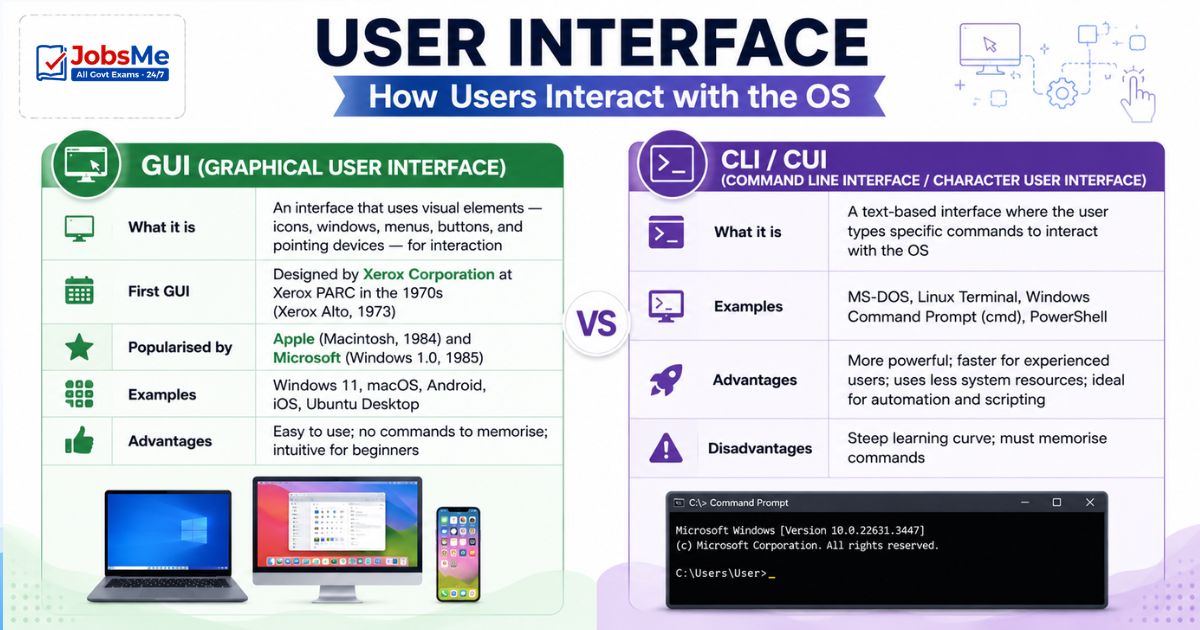
| What it is | An interface that uses visual elements — icons, windows, menus, buttons, and pointing devices — for interaction |
| First GUI | Designed by Xerox Corporation at Xerox PARC in the 1970s (Xerox Alto, 1973) |
| Popularised by | Apple (Macintosh, 1984) and Microsoft (Windows 1.0, 1985) |
| Examples | Windows 11, macOS, Android, iOS, Ubuntu Desktop |
| Advantages | Easy to use; no commands to memorise; intuitive for beginners |
CLI / CUI (Command Line Interface / Character User Interface)
| Feature | Details |
|---|---|
| What it is | A text-based interface where the user types specific commands to interact with the OS |
| Examples | MS-DOS, Linux Terminal, Windows Command Prompt (cmd), PowerShell |
| Advantages | More powerful; faster for experienced users; uses less system resources; ideal for automation and scripting |
| Disadvantages | Steep learning curve; must memorise commands |
Booting - Starting the Computer
Booting is the process of starting up a computer — loading the OS from the storage device into RAM so the computer becomes ready for use. The word comes from the phrase "pulling yourself up by your bootstraps."
Cold Booting
| Feature | Details |
|---|---|
| Definition | Starting the computer from a completely powered-off state |
| Process | Press power button → BIOS POST → OS loads from storage → Desktop appears |
| Also called | Hard boot, cold start |
| When used | First start of the day; after a power cut; when installing hardware |
Warm Booting
| Feature | Details |
|---|---|
| Definition | Restarting a running computer without completely powering it off |
| Keyboard shortcut | Ctrl + Alt + Del (on Windows — the famous "three-finger salute") |
| Also called | Soft boot, restart |
| When used | After software installation, when the system becomes unresponsive, after OS updates |
| Difference from Cold Boot | Warm boot does not perform a full POST; faster than cold boot |
MS-DOS (Microsoft Disk Operating System)
MS-DOS was developed by Microsoft in 1980 and became the first OS on IBM PCs in 1981. It is a single-user, single-tasking, command-line operating system.
Key Facts about MS-DOS:
- Full form: Microsoft Disk Operating System
- Developer: Microsoft Corporation
- Year: 1980 (developed); 1981 (first used on IBM PC)
- Interface: CLI (Command Line Interface) — text only, no graphics
- User type: Single-user only
- Multitasking: No — can run only one program at a time
- Primary hard drive: C: (always)
MS-DOS File Structure:
- Boot Record — contains instructions for loading the OS
- BIOS.sys — hardware management
- MSDOS.sys — core OS functions
- Command.com — command interpreter (processes user commands)
- Config.sys — system configuration file; adjusts system settings at startup
- Autoexec.bat — batch file that executes automatically at every startup
MS-DOS Commands
Commands in MS-DOS are of two types:
Internal Commands (loaded into memory at boot — always available):
| Command | Purpose |
|---|---|
| DATE | Display or set the system date |
| TIME | Display or set the system time |
| VER | Display the DOS version number |
| VOL | Display the disk volume label |
| DIR | List all files and directories in current folder |
| COPY | Copy one or more files to another location |
| CLS | Clear the screen |
| DEL | Delete a file |
| MD / MKDIR | Make (create) a new directory |
| CD / CHDIR | Change the current directory |
| RD / RMDIR | Remove (delete) an empty directory |
| REN / RENAME | Rename a file or directory |
| TYPE | Display the contents of a text file on screen |
External Commands (stored as separate files on disk — need to be loaded):
| Command | Purpose |
|---|---|
| FORMAT | Format a disk (erases all data and prepares for use) |
| CHKDSK | Check disk for errors and display status |
| DISKCOPY | Copy the entire contents of one disk to another |
Important File Extensions
| Extension | File Type |
|---|---|
| .exe | Executable program file |
| .com | Command file (small executable) |
| .bat | Batch file (sequence of commands) |
| .doc / .docx | Word document |
| .txt | Plain text file |
| .sys | System file |
Windows Operating System
Windows is the world's most widely used desktop OS, developed by Microsoft Corporation. It introduced the GUI (Graphical User Interface) to mass-market computing.
Windows Version History
| Version | Year | Key Features |
|---|---|---|
| Windows 1.0 | 1985 | First Windows; GUI over MS-DOS |
| Windows 3.1 | 1992 | Cooperative multitasking; widespread adoption |
| Windows 95 | 1995 | FAT32 file system; true GUI; multitasking; Start button introduced |
| Windows 98 | 1998 | WDM (Windows Driver Model); USB and DVD support; Internet Explorer 4.0 |
| Windows XP | 2001 | Multiple user profiles; extremely stable; one of the most popular versions ever |
| Windows Vista | 2007 | Aero interface; UAC (User Account Control) |
| Windows 7 | 2009 | 64-bit; touch support; biometric framework; widely loved version |
| Windows 8 / 8.1 | 2012/13 | Metro/Modern UI; USB 3.0; cloud computing integration; controversial Start screen |
| Windows 10 | 2015 | Return of Start Menu; Cortana AI assistant; Edge browser; gaming features; free upgrade from 7/8 |
| Windows 11 | 2021 | Centred Start Menu; Snap Layouts; Android app support; TPM 2.0 required |
Windows 11 - In Depth
Windows 11 was released on October 5, 2021, and represents the biggest visual and functional overhaul of Windows since Windows 10.
Minimum System Requirements:
| Requirement | Specification |
|---|---|
| Processor | 64-bit, 1 GHz or faster, 2+ cores |
| RAM | 4 GB minimum |
| Storage | 64 GB minimum |
| TPM | TPM 2.0 (Trusted Platform Module — security chip) — mandatory |
| Secure Boot | Required |
| Display | 720p, 9"+ diagonal |
| DirectX | DirectX 12 compatible GPU |
Key New Features of Windows 11:
| Feature | Description |
|---|---|
| Centred Start Menu | Start button moved to the centre of the taskbar (from the left corner) |
| Snap Layouts / Snap Groups | Predefined window arrangement templates for multitasking |
| Virtual Desktops | Multiple desktops for different tasks/projects |
| Widgets | Personalised news, weather, calendar panel |
| Android App Support | Run Android apps via Amazon App Store (WSA — Windows Subsystem for Android) |
| DirectStorage | Faster game loading by using GPU to decompress game assets |
| Auto HDR | Automatically adds HDR to older games |
| Teams Integration | Microsoft Teams chat built into the taskbar |
| TPM 2.0 Requirement | Hardware security chip mandatory for installation |
| Copilot | AI assistant integrated into Windows 11 (GPT-4 based); accessed from taskbar |
| Copilot+ PCs | New AI PC category (2024); requires NPU with 40+ TOPS; enables Recall, live captions |
| Windows 11 24H2 | Latest 2024 update with expanded AI features |
Internet Explorer was officially discontinued on June 15, 2022 — replaced by Microsoft Edge.
macOS - Apple's Desktop Operating System
macOS is the proprietary desktop OS developed by Apple Inc. for its Mac computers. It is Unix-based, known for stability, security, and tight hardware-software integration.
| Version | Year | Key Feature |
|---|---|---|
| macOS Big Sur (11) | 2020 | First macOS for Apple Silicon (M1) chip; major visual redesign |
| macOS Monterey (12) | 2021 | Universal Control — use one keyboard/mouse across Mac and iPad |
| macOS Ventura (13) | 2022 | Stage Manager — new multitasking; Continuity Camera |
| macOS Sonoma (14) | 2023 | Interactive desktop widgets; Game Mode |
| macOS Sequoia (15) | 2024 | iPhone Mirroring — control iPhone from Mac; Apple Intelligence (AI features) |
Linux - The Open-Source Powerhouse
Linux is a free, open-source operating system kernel first released by Linus Torvalds on September 17, 1991 at the University of Helsinki, Finland. Linux powers everything from Android smartphones to web servers to supercomputers.
Key Facts:
| Feature | Details |
|---|---|
| Creator | Linus Torvalds |
| First Release | September 1991 |
| Type | Open source; free to use, modify, distribute |
| Based on | Unix principles |
| License | GNU General Public License (GPL) |
| Used in | Servers (90%+ of internet servers), Android (Linux kernel), supercomputers, embedded systems |
Key Components of Linux
| Component | Description |
|---|---|
| Kernel | The core of the OS — directly interacts with hardware; always resides in memory; manages processes, memory, and devices |
| Shell | The command interpreter — takes user commands, interprets them, and passes instructions to the kernel. Types: Bash, Zsh, Sh, Ksh |
| Filesystem | Hierarchical directory structure starting from root (/); everything in Linux is a file |
Key Linux Concepts:
- Thread — The smallest unit of execution within a process
- Process — A running instance of a program
- Spooling — Sending data to a temporary buffer (e.g., print spooling — print jobs queue before the printer)
- Daemon — A background service process (equivalent to Windows Services)
Popular Linux Distributions (Distros):
| Distribution | Based On | Used For |
|---|---|---|
| Ubuntu | Debian | Desktop and server use |
| Fedora | Red Hat | Desktop use; latest features |
| CentOS / RHEL | Red Hat | Enterprise servers |
| Kali Linux | Debian | Ethical hacking and security |
| Android | Linux kernel | Mobile OS |
Mobile Operating Systems
Mobile OS are designed specifically for smartphones and tablets — they manage touchscreens, battery, wireless connectivity, and mobile-specific hardware.
Android
| Feature | Details |
|---|---|
| Developer | |
| Based on | Linux kernel |
| First version | Android 1.0 (2008) |
| Latest version | Android 15 (2024) |
| Licence | Open source (AOSP core) + Proprietary (Google services) |
| Market share | ~72% global smartphone market share |
Android Version History (Key Versions for Exams):
| Version | Year | Key Feature |
|---|---|---|
| Android 10 | 2019 | Dark mode system-wide; gesture navigation |
| Android 11 | 2020 | Conversation notifications; one-time permissions |
| Android 12 | 2021 | Material You — dynamic colour theming |
| Android 13 | 2022 | Per-app language settings; improved privacy |
| Android 14 | 2023 | Health Connect integration; satellite support |
| Android 15 | 2024 | Theft protection; satellite messaging |
iOS
| Feature | Details |
|---|---|
| Developer | Apple Inc. |
| Devices | iPhone, iPod Touch, iPad (iPadOS is a variant) |
| First version | iPhone OS 1.0 (2007, launched with the original iPhone) |
| Latest version | iOS 18 (2024) — includes Apple Intelligence AI features |
| Characteristics | Closed source; tightly integrated with Apple hardware; known for security and smooth performance |
Other Mobile OS
| OS | Developer | Used In | Notes |
|---|---|---|---|
| macOS | Apple | Mac computers | Desktop OS |
| Windows | Microsoft | PCs | Desktop OS |
| ChromeOS | Chromebooks | Cloud-first OS; Linux-based | |
| HarmonyOS | Huawei | Phones, TVs, IoT | Developed after US sanctions blocked Android use |
| KaiOS | KaiOS Technologies | Feature phones | Based on Linux; used in Jio phones in India |
Memory Tricks
🔑 OS Functions — "PMFDS EU":
Process Management | Memory Management | File Management | Device Management | Security | Error Handling | User Interface Mnemonic: "Please Manage Files Daily — Security Ensures Us"
🔑 Types of OS — "BSM MTR":
Batch | Single User | Multi User | Multi Tasking | Time Sharing | Real Time Mnemonic: "Big Schools Make Many Talented Readers"
🔑 Booting Types:
Cold Boot = Computer is COLD (OFF) — press power button Warm Boot = Computer is WARM (ON) — press Ctrl+Alt+Del to restart
🔑 First GUI Designer:
Xerox designed the first GUI in the 1970s — then Apple popularised it, then Microsoft followed Remember: "X came first" (Xerox)
🔑 Linux Creator:
Linus Torvalds created Linux in 1991 — "Linus made Linux"
🔑 Android Base:
Android is based on Linux kernel — "Android Loves Linux"
🔑 Windows 11 Key Requirement:
TPM 2.0 = Trusted Platform Module 2.0 — security chip mandatory Remember: "Windows 11 needs T.P.M. — Trust Pays More"
🔑 MS-DOS Key Facts:
Developed 1980 | IBM PC 1981 | Single user | CLI | C: is primary drive Mnemonic: "DOS Is CLI, C: Is Primary"
One-Liner Recap (Quick Revision)
- An Operating System is the most essential system software that acts as an intermediary between the user and hardware, managing all resources and providing a platform for applications to run.
- The six key functions of an OS are Process Management, Memory Management, File Management, Device Management, User Interface, and Security.
- Batch Processing OS groups similar jobs and executes them in batches without user interaction — ideal for repetitive high-volume tasks like payroll and bank statements.
- Multi-Tasking OS allows multiple processes to appear to run simultaneously by rapidly switching the CPU between them — examples include Linux, Unix, and Windows 95+.
- A Real-Time OS (RTOS) guarantees response to inputs within a predetermined time limit and is used in flight control, ATMs, missiles, and medical devices.
- GUI (Graphical User Interface) was first designed by Xerox Corporation in the 1970s and uses icons, windows, and pointing devices; CLI (Command Line Interface) uses text commands like in MS-DOS and Linux Terminal.
- Cold Booting starts the computer from a completely powered-off state, while Warm Booting restarts a running computer using Ctrl + Alt + Del without a full power cycle.
- MS-DOS (Microsoft Disk Operating System) was developed in 1980, first used on IBM PCs in 1981, and is a single-user, single-tasking, command-line operating system with C: as the primary drive.
- Internal MS-DOS commands (DIR, COPY, DEL, MD, CD, CLS) are loaded into memory at boot, while External commands (FORMAT, CHKDSK, DISKCOPY) are stored as separate files on disk.
- Windows 11 was released in October 2021 and requires TPM 2.0, 64-bit CPU, 4 GB RAM, and 64 GB storage — key features include Centred Start Menu, Snap Layouts, Android app support, and Copilot AI.
- Linux was created by Linus Torvalds and first released in September 1991 — it is free, open-source, Unix-based, and powers 90%+ of internet servers and all Android phones.
- The Linux Kernel is the core of the OS that directly manages hardware, while the Shell is the command interpreter that takes user commands and passes them to the kernel.
- Android, developed by Google and based on the Linux kernel, is the world's most widely used mobile OS with ~72% market share; Android 15 is the latest version (2024).
- iOS, developed by Apple, is the closed-source mobile OS for iPhones and iPads; iOS 18 (2024) introduced Apple Intelligence AI features.
- HarmonyOS was developed by Huawei as an alternative to Android after US sanctions prevented Google from licensing Android to Huawei for its new devices.
Preparing for competitive exams requires consistent revision. Platforms like JobsMe simplify preparation through:
- Daily Current Affairs
- Weekly Current Affairs
- Monthly Current Affairs
- Static GK for Competitive Exams
- Latest Government Jobs Notifications
- Banking Awareness
Stay updated, revise regularly, and attempt quizzes for better accuracy in UPSC, SSC CGL, IBPS PO/Clerk, SBI, RBI Grade B, RRB NTPC, Defence, and State PSC exams.
Free quiz • No signup required
Put this topic into practice with Daily Current Affairs Quiz 9 June 2026 MCQs for UPSC, SSC, Banking, Railways, Defence & State PSC Exams. It is the quickest way to reinforce what you just learned.
Frequently Asked Questions
What is an Operating System and what are its main functions?
What is the difference between Cold Booting and Warm Booting?
What are the types of Operating Systems?
Who created Linux and what is it?
What is the difference between GUI and CLI?
What are the minimum requirements for Windows 11?

About the author