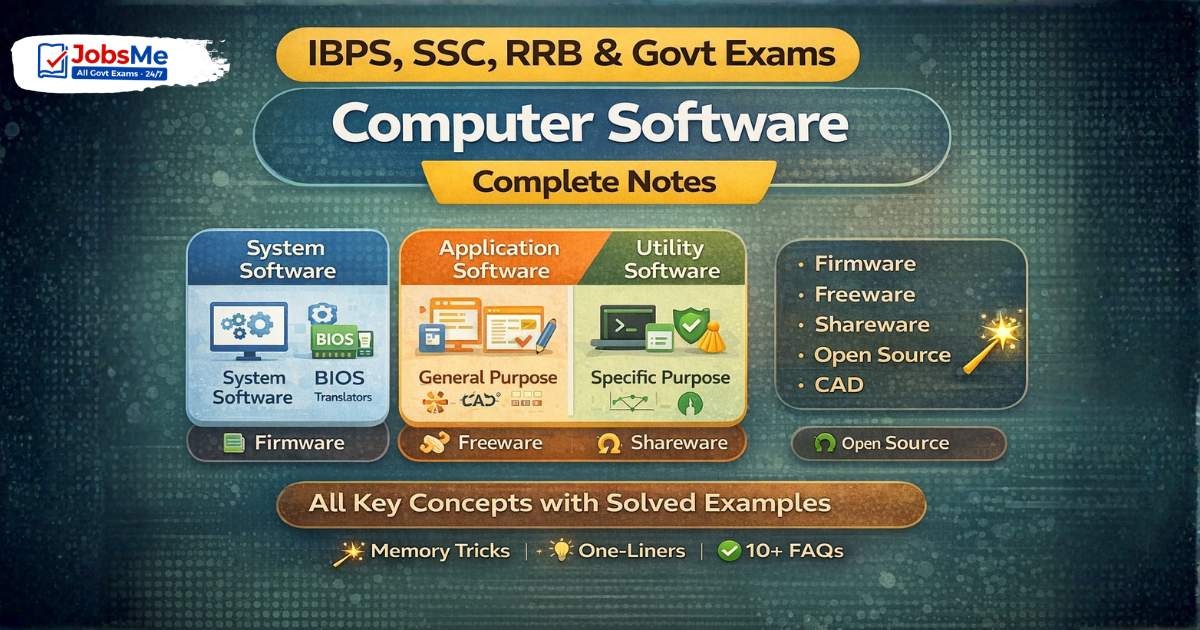
Computer Software – Complete Notes for IBPS, SSC, RRB & Govt Exams
Computer Software is one of the most consistently tested chapters in IBPS, SSC CGL, RRB, and other government exams. This post covers the complete classification of software — System Software (OS, BIOS, Device Drivers, Translators), Application Software (general and specific purpose), Utility Software — along with Firmware, Freeware, Shareware, Open Source, and CAD. Includes memory tricks, one-liners, and 10 exam-focused FAQs.
Jump to section
- Introduction: Why Computer Software is a High-Scoring Chapter
- What is Software? Definition and Importance
- Hardware vs. Software - Key Difference
- Types of Software - Complete Classification
- A) System Software
- B) Application Software
- C) Utility Software (System Utilities)
- Other Software Categories
- Software Licensing Terms
- Memory Tricks
- One-Liner Recap (Quick Revision)
Introduction: Why Computer Software is a High-Scoring Chapter
Every function a computer performs — from turning on to browsing the internet, from processing a bank transaction to running a railway booking system — is driven by software. Without software, hardware is an expensive collection of metal and silicon with absolutely no capability.
In government job exams, Computer Software is tested because it is directly relevant to banking, railway, and government office environments. Questions appear in formats like:
- "Which of the following is NOT System Software?" → MS Word (it is Application Software)
- "Which software directly controls hardware?" → Operating System / Device Drivers
- "VLC Media Player is an example of ___" → Freeware / Application Software
- "Linux is an example of ___" → Open Source Software
- "What is the purpose of a Disk Defragmenter?" → Rearranges fragmented files for efficiency
This chapter connects directly to the Operating System chapter (Chapter 10) and is one of the broadest topics — touching hardware control, user applications, and system maintenance. Master this chapter and you will score consistently from this section in every exam.
What is Software? Definition and Importance
Software is defined as a collection of programs, data, and related documentation that tells a computer what to do and how to do it. Unlike hardware (which you can physically touch), software is intangible — it exists as code stored on storage media or in memory.
Formal Definition:
Software is the set of instructions, programs, and associated data that directs the hardware to perform specific tasks and enables users to interact with the computer system.
Why is software important?
- Without software, a computer is a useless pile of hardware — it cannot even start
- Software defines the capabilities of a computer system
- The same hardware can do completely different things depending on the software installed
- Software is what the user actually interacts with — the operating system, apps, games, and websites
The Software-Hardware Relationship:
User ↔ Software (Application) ↔ System Software (OS) ↔ Hardware (CPU, RAM, HDD)
Software acts as the interface layer between the user and the hardware.
Hardware vs. Software - Key Difference
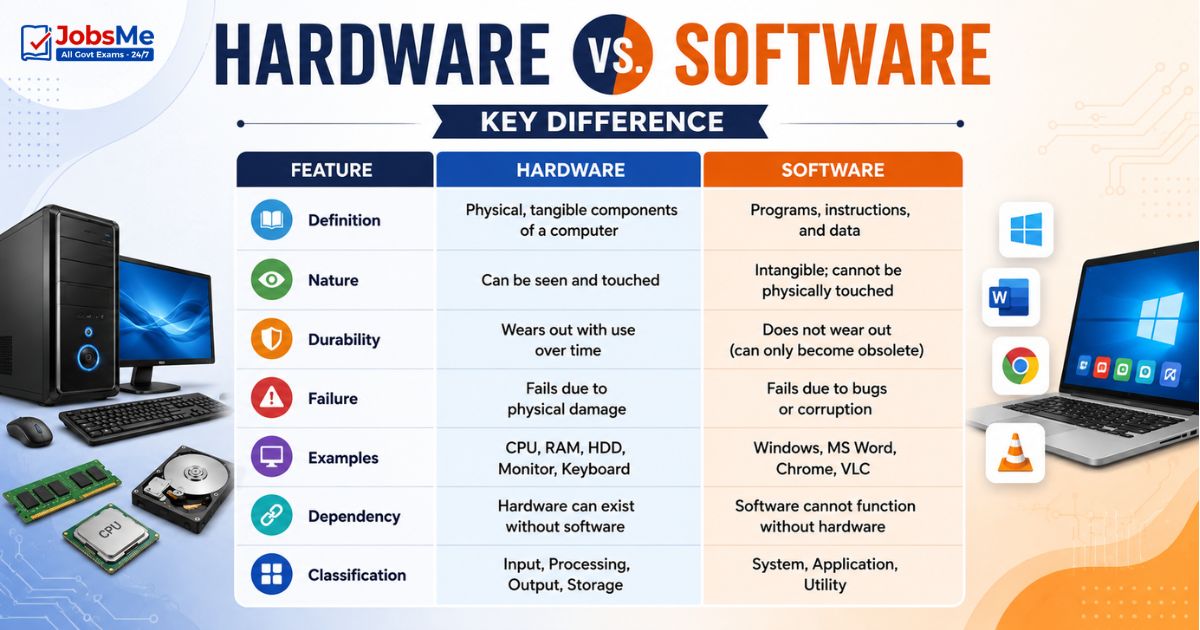
| Feature | Hardware | Software |
|---|---|---|
| Definition | Physical, tangible components of a computer | Programs, instructions, and data |
| Nature | Can be seen and touched | Intangible; cannot be physically touched |
| Durability | Wears out with use over time | Does not wear out (can only become obsolete) |
| Failure | Fails due to physical damage | Fails due to bugs or corruption |
| Examples | CPU, RAM, HDD, Monitor, Keyboard | Windows, MS Word, Chrome, VLC |
| Dependency | Hardware can exist without software | Software cannot function without hardware |
| Classification | Input, Processing, Output, Storage | System, Application, Utility |
Types of Software - Complete Classification
Software is broadly classified into three main categories:
SOFTWARE
├── A) System Software
│ ├── Operating System
│ ├── BIOS
│ ├── Device Drivers
│ ├── Language Translators
│ ├── Linker
│ └── Loader
├── B) Application Software
│ ├── General Purpose (Word, Excel, Browser)
│ └── Specific Purpose (Payroll, Hotel Management)
└── C) Utility Software
├── Antivirus
├── Disk Defragmenter
├── Disk Compression
└── Backup Tools
A) System Software
System Software is the category of software that directly controls, manages, and operates the computer hardware. It works in the background, enabling application software and the user to interact with the hardware.
Key characteristics:
- Works closest to the hardware
- Generally not used directly by end users
- Must be present for the computer to function
- Manages resources (CPU, memory, I/O devices)
Operating System (OS)
The Operating System is the most critical piece of system software. It is the master control program that manages all hardware resources and provides a platform for application software to run.
| Feature | Details |
|---|---|
| Role | Interface between user, application software, and hardware |
| Functions | Process management, memory management, file management, device management, security |
| Examples | Windows 11, macOS Sequoia, Linux (Ubuntu, Fedora), Android 15, iOS 18 |
(Full detail in Chapter 10 — Operating Systems)
BIOS (Basic Input/Output System)
| Feature | Details |
|---|---|
| Full Form | Basic Input/Output System |
| Stored in | EEPROM/Flash ROM chip on the motherboard |
| Function | First software to run when the computer is powered on; performs POST (Power-On Self Test); initialises all hardware components; loads the OS into RAM |
| Modern Equivalent | UEFI (Unified Extensible Firmware Interface) — faster, supports drives > 2TB, has GUI |
BIOS Boot Process: Power ON → BIOS/UEFI runs → POST checks hardware → BIOS loads OS bootloader → OS loads into RAM → User sees desktop
Device Drivers
| Feature | Details |
|---|---|
| What it does | Acts as a translator between the OS and a specific hardware device |
| Why needed | Each hardware device (printer, graphics card, webcam) has unique specifications — the OS cannot understand all of them natively; a driver bridges this gap |
| Examples | Printer driver, graphics card driver (NVIDIA/AMD), sound card driver, USB device driver |
| Installation | Automatically by OS (Plug and Play) or manually from manufacturer's website |
Without a device driver: The OS cannot communicate with the device — it either doesn't work at all or works with very basic functionality.
Language Translators
| Translator | Converts | Method |
|---|---|---|
| Assembler | Assembly language → Machine language | Whole program |
| Interpreter | HLL → Machine language | Line by line |
| Compiler | HLL → Machine language | Whole program at once |
(Full detail in Chapter 8 — Computer Languages)
Linker
The Linker is a system program that combines multiple object code modules (output of a compiler) into a single, complete executable program. Large programs are written in multiple files — the linker joins them together.
Process: Source Code → Compiler → Object Code → Linker → Executable File (.exe)
Loader
The Loader is the component of the OS responsible for loading executable programs into main memory (RAM) so the CPU can begin executing them.
Process: Executable File → Loader → RAM → CPU executes
When you double-click an application icon, the Loader is what copies the program from the hard disk into RAM and hands control to the CPU.
B) Application Software
Application Software is software that helps users perform specific real-world tasks. Unlike system software (which works with hardware), application software works directly with users to accomplish goals — writing documents, managing finances, playing games, browsing the internet.
Key characteristics:
- Directly used by end users
- Performs specific user-defined tasks
- Cannot function without system software (OS) being present
- Can be general-purpose or specific-purpose
General Purpose Application Software
General Purpose Application Software is designed to perform a wide range of tasks and can be used across many different types of work.
| Software Category | Purpose | Examples |
|---|---|---|
| Word Processor | Create, edit, format, store, and print text documents | MS Word, Google Docs, LibreOffice Writer, WordPad |
| Spreadsheet | Perform calculations, data analysis, create charts and graphs | MS Excel, Google Sheets, LibreOffice Calc, Lotus 1-2-3 |
| Presentation | Create visual slide-based presentations | MS PowerPoint, Google Slides, LibreOffice Impress, Canva |
| DBMS | Create and manage databases | MS Access, MySQL, Oracle, PostgreSQL |
| Desktop Publishing (DTP) | Professional-quality page layout, typesetting, printing | Adobe PageMaker, CorelDraw, Quark XPress, Adobe InDesign |
| Graphics / Image Editing | Manipulate, edit, and create visual images | Adobe Photoshop, GIMP, Adobe Firefly, Canva |
| Multimedia | Combine and play text, audio, video, animation | VLC Media Player, Windows Media Player, Adobe Flash |
| Web Browser | Navigate, retrieve, and display web pages | Google Chrome, Mozilla Firefox, Microsoft Edge, Safari |
| E-mail Client | Send, receive, and manage email | MS Outlook, Gmail, Thunderbird |
Specific Purpose Application Software
Specific Purpose Application Software is designed to solve one specific problem or serve one particular industry — it cannot be used for general tasks.
| Software | Purpose / Industry |
|---|---|
| Tally ERP9 / Tally Prime | Accounting and financial management for businesses |
| Payroll Software | Calculate and manage employee salaries and deductions |
| Inventory Management | Track stock levels, orders, and deliveries |
| Hotel Management System | Manage hotel bookings, check-in/out, billing |
| Hospital Management System | Patient records, billing, appointment scheduling |
| Reservation System | Railway/airline booking (e.g., IRCTC backend) |
| Report Card Generator | Generate student academic reports |
| Banking Software | Core banking, loan management, account operations |
| CAD Software | Computer-Aided Design for engineers and architects |
C) Utility Software (System Utilities)
Utility Software (also called System Utilities) is a category of software designed to support, optimise, and maintain the computer system — neither fully system software (doesn't control hardware directly) nor application software (doesn't help users with specific tasks like writing documents). Utilities work in the background to keep the system running efficiently.
Important Utility Programs and Their Purpose
| Utility | Purpose | Examples |
|---|---|---|
| Disk Compression | Compresses files to increase effective storage capacity on disk | WinRAR, 7-Zip, WinZip |
| Disk Defragmenter | Rearranges fragmented files on the hard disk so related file parts are stored contiguously — improves disk read speed | Windows Disk Defragmenter, Diskeeper, Defraggler, MyDefrag |
| Backup Utility | Creates copies of important files and data to prevent loss | Windows Backup, Time Machine (Mac), Acronis |
| Disk Cleanup / Disk Cleaner | Scans and removes unnecessary, temporary, and junk files to free up storage space | BleachBit, CCleaner, Windows Disk Cleanup |
| Antivirus | Detects, quarantines, and removes malicious software (viruses, malware, spyware) | Kaspersky, Norton, Quick Heal, McAfee, Avast, Windows Defender |
| Text Editor | Creates and edits plain text files without formatting | Notepad (Windows), Vim, Nano, Sublime Text, Visual Studio Code |
| File Manager | Navigate, organise, copy, move, and manage files and folders | Windows Explorer, Finder (Mac), Nautilus (Linux) |
| Task Manager | View and manage currently running processes, CPU/RAM usage | Windows Task Manager, Activity Monitor (Mac) |
| System Monitor | Monitor hardware performance — CPU temperature, usage, RAM status | HWMonitor, CPU-Z |
| Screenshot Utility | Capture and save screenshots of the screen | Snipping Tool (Windows), Screenshots (Mac) |
What is Disk Fragmentation? Over time, as files are created, modified, and deleted, pieces of files get scattered across different areas of the hard disk. This is called fragmentation. A fragmented disk takes longer to read files because the read/write head must jump to different locations. Disk Defragmentation rearranges these scattered pieces so related data is stored contiguously, improving read speed.
Note: SSDs do NOT need defragmentation — they have no moving read/write heads, and defragmenting actually wears out the flash memory cells faster. Windows automatically skips defragmentation for SSDs.
Other Software Categories
Firmware
| Feature | Details |
|---|---|
| Definition | Software that is permanently stored in hardware (ROM/Flash ROM) — a hybrid of hardware and software |
| Characteristics | Cannot be easily modified; does not disappear when power is off; bridges hardware and software |
| Examples | BIOS/UEFI chip on motherboard, firmware in printers, firmware in routers, embedded OS in smart TVs |
| Exam Key | Firmware = combination of software and hardware stored in ROM/PROM/EPROM |
Freeware
| Feature | Details |
|---|---|
| Definition | Copyrighted software that is available for use completely free of charge — but the source code is not provided |
| Key distinction | Free to use, but NOT open source — you cannot modify or redistribute the code |
| Examples | VLC Media Player, Notepad++, Adobe Reader, Google Chrome, Audacity, 7-Zip |
| Exam Key | Freeware = Free to use + copyrighted + source code NOT available |
Shareware
| Feature | Details |
|---|---|
| Definition | Software available for free trial for a limited period — after the trial expires, payment is required to continue using it |
| Business model | "Try before you buy" |
| Examples | WinRAR (technically shareware — prompts to buy after trial), older versions of many games |
| Exam Key | Shareware = Free trial → Paid after trial |
Open Source Software
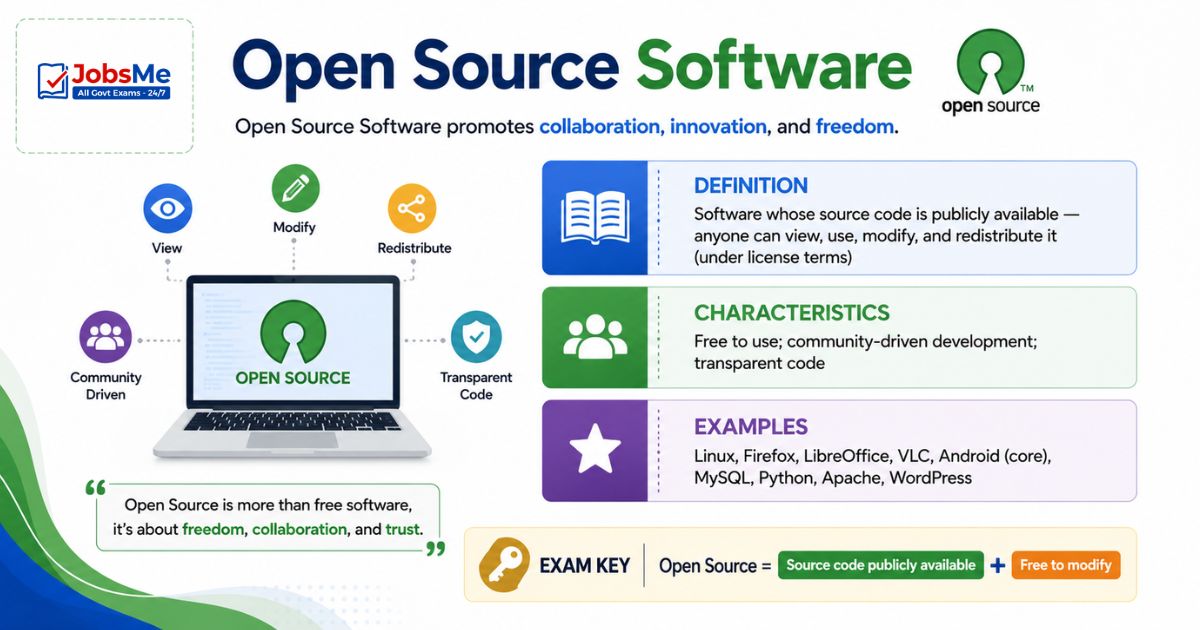
| Feature | Details |
|---|---|
| Definition | Software whose source code is publicly available — anyone can view, use, modify, and redistribute it (under license terms) |
| Characteristics | Free to use; community-driven development; transparent code |
| Examples | Linux, Firefox, LibreOffice, VLC, Android (core), MySQL, Python, Apache, WordPress |
| Exam Key | Open Source = Source code publicly available + Free to modify |
Proprietary Software
| Feature | Details |
|---|---|
| Definition | Software owned by an individual or company; source code is secret/protected; users must purchase a license |
| Examples | Microsoft Windows, Microsoft Office, Adobe Photoshop, macOS |
| Exam Key | Proprietary = Closed source + Paid license required |
CAD (Computer-Aided Design)
| Feature | Details |
|---|---|
| Full Form | Computer-Aided Design |
| Purpose | Used by engineers, architects, and designers to create precise 2D drawings and 3D models of physical objects |
| Examples | AutoCAD, SolidWorks, CATIA, Fusion 360, TinkerCAD |
| Related | CAM (Computer-Aided Manufacturing) — uses CAD models to control manufacturing machines |
Software Licensing Terms
| Term | Meaning | Example |
|---|---|---|
| Freeware | Free to use; copyrighted; no source code | VLC, Notepad++ |
| Shareware | Free trial; payment after trial | WinRAR |
| Open Source | Free; source code available to all | Linux, Firefox |
| Proprietary | Paid license; closed source | Windows, MS Office |
| Adware | Free but displays advertisements | Some mobile apps |
| Donationware | Free; developer requests voluntary donation | — |
| Public Domain | No copyright; completely free; no restrictions | Classic books, some old software |
| Software Piracy | Illegal copying and distribution of copyrighted software | Cracked software downloads |
Memory Tricks
🔑 Three Types of Software — "SAU":
System Software | Application Software | Utility Software Mnemonic: "Students Always Use" software every day
🔑 System Software Sub-types — "OBDTLL":
OS | BIOS | Device Drivers | Translators | Linker | Loader Mnemonic: "Oh Big Dogs Take Long Leaps"
🔑 Freeware vs Shareware vs Open Source:
Freeware = FREE always (but closed source) Shareware = FREE to SHARE temporarily (try then buy) Open Source = OPEN to see and change the code
🔑 General Purpose Application Software — "WSPDGMW":
Word Processor | Spreadsheet | Presentation | DBMS | Graphics | Multimedia | Web Browser
🔑 Key Utility Software — "DAB DCT":
Disk Compression | Antivirus | Backup | Defragmenter | Cleaner | Text Editor
🔑 BIOS Acronym:
Basic Input Output System — "The BIOS starts it all" First software to run on startup → performs POST → loads OS
One-Liner Recap (Quick Revision)
- Software is the intangible collection of programs, instructions, and data that tells computer hardware what to do, acting as the interface between the user and the hardware.
- System Software directly controls and manages computer hardware — it includes the Operating System, BIOS, Device Drivers, Language Translators, Linker, and Loader.
- The Operating System (OS) is the most critical system software — it manages all hardware resources and provides a platform for all application software to run.
- BIOS (Basic Input/Output System) is the first software to run when a computer powers on — it performs the POST (Power-On Self Test) and then loads the Operating System.
- Device Drivers are system software that act as translators between the Operating System and specific hardware devices like printers, graphics cards, and webcams.
- A Linker combines multiple compiled object code files into one single executable program, while a Loader copies the executable from disk into RAM for the CPU to execute.
- Application Software helps users perform specific real-world tasks and can be either General Purpose (Word, Excel, browser) or Specific Purpose (payroll, hotel management, Tally).
- General Purpose Application Software includes Word Processors (MS Word), Spreadsheets (MS Excel), Presentations (MS PowerPoint), DBMS (MS Access), and Multimedia players (VLC).
- Utility Software maintains and optimises the computer system — key utilities include Antivirus (removes malware), Disk Defragmenter (fixes fragmentation), Disk Cleanup (removes junk files), and Backup tools.
- Firmware is software permanently embedded in hardware (stored in ROM/Flash ROM) — examples include BIOS chips, printer firmware, and router firmware.
- Freeware is copyrighted software distributed completely free of charge, but the source code is NOT available — examples include VLC Media Player and Notepad++.
- Shareware is available free of charge for a limited trial period, after which payment is required — the "try before you buy" model (e.g., WinRAR).
- Open Source Software makes its source code publicly available for anyone to view, modify, and redistribute — key examples are Linux, Firefox, LibreOffice, and Python.
- Proprietary Software is owned by a company with closed source code and requires a paid license to use — examples include Microsoft Windows and Adobe Photoshop.
- Software Piracy refers to the illegal copying, distribution, or use of copyrighted software without authorisation — it is a punishable offence under the IT Act 2000 in India.
Preparing for competitive exams requires consistent revision. Platforms like JobsMe simplify preparation through:
- Daily Current Affairs
- Weekly Current Affairs
- Monthly Current Affairs
- Static GK for Competitive Exams
- Latest Government Jobs Notifications
- Banking Awareness
Stay updated, revise regularly, and attempt quizzes for better accuracy in UPSC, SSC CGL, IBPS PO/Clerk, SBI, RBI Grade B, RRB NTPC, Defence, and State PSC exams.
Free quiz • No signup required
Put this topic into practice with Daily Current Affairs Quiz 7 & 8 June 2026 | UPSC, SSC, Banking, Railways, Defence Exam MCQs. It is the quickest way to reinforce what you just learned.
Frequently Asked Questions
What is the difference between System Software and Application Software?
What is the role of BIOS in a computer?
What is a Device Driver and why is it needed?
What is the difference between Freeware, Shareware, and Open Source?
What is the purpose of Disk Defragmentation and when should you NOT use it?
What is Firmware and how is it different from regular software?
What is Utility Software and how is it different from Application Software?

About the author