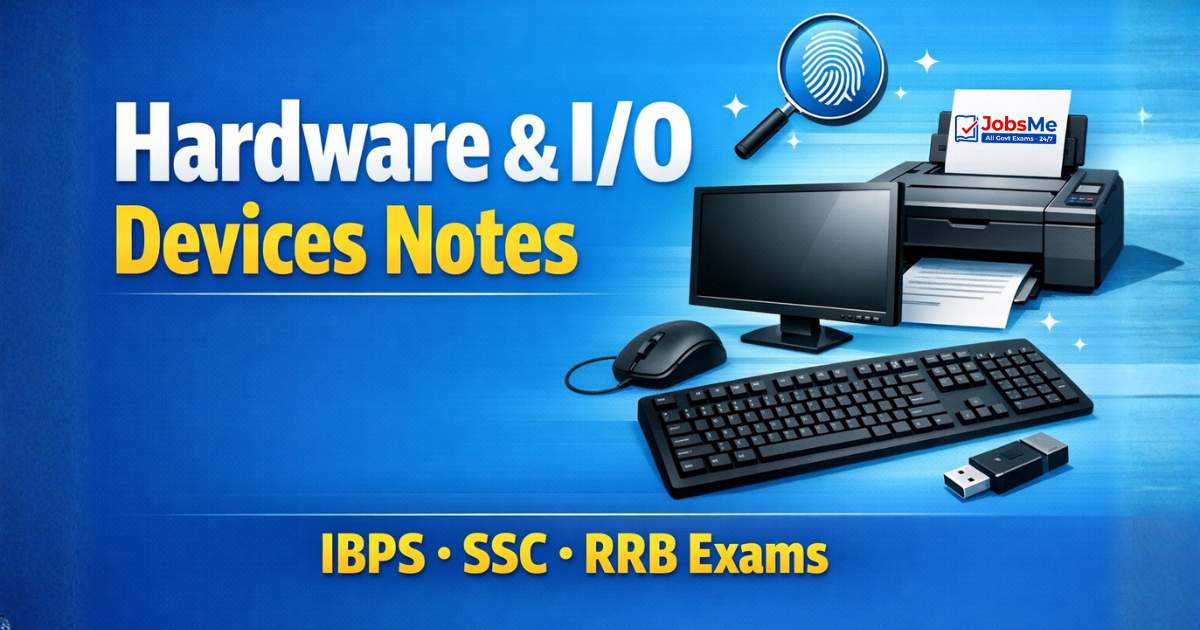
Hardware & I/O Devices – Complete Notes for IBPS, SSC, RRB & Govt Exams
Hardware and I/O Devices is a high-yield chapter in every government job exam. This post covers all input devices (keyboard, mouse, scanner, OMR, MICR, OCR, biometrics), output devices (monitors, printers, plotters), dual I/O devices, and I/O ports — with detailed tables, device comparisons, memory tricks, one-liners, and 10 exam-focused FAQs.
Jump to section
- Introduction: Why Hardware & I/O Devices is a Must-Prepare Topic
- What is Hardware?
- Input Devices - Feeding Data into the Computer
- Output Devices - Getting Results from the Computer
- Both Input and Output Devices (Dual I/O Devices)
- I/O Ports - Connecting External Devices
- Memory Tricks
- One-Liner Recap (Quick Revision)
Introduction: Why Hardware & I/O Devices is a Must-Prepare Topic
Hardware forms the physical backbone of every computer system. Without hardware, software has nothing to run on. In government exams, Hardware & I/O Devices is consistently tested because it is directly relevant to banking operations, office environments, and government digital services — all of which use computers with specific input and output devices daily.
In exams like IBPS PO, IBPS Clerk, SBI PO, SBI Clerk, RRB NTPC, SSC CGL, and LIC AAO, questions from this chapter appear in multiple forms:
- "Which device is used to read bank cheques?" → MICR
- "Which device is used for OMR answer sheets?" → Optical Mark Reader
- "Which type of printer is used for multi-copy printing?" → Dot Matrix (impact printer)
- "What does VDU stand for?" → Visual Display Unit (Monitor)
- "Which port transmits 8 bits simultaneously?" → Parallel Port
This chapter also directly connects to questions about banking technology — ATMs use touch screens (dual I/O), bank cheques use MICR, answer sheets use OMR. Understanding these devices is not just exam preparation — it is practical knowledge for any banking or government office role.
What is Hardware?
Hardware refers to all the physical, tangible components of a computer system — the parts you can see, touch, and feel. Hardware is categorised into three functional groups:
| Category | Description | Examples |
|---|---|---|
| Input Hardware | Devices that feed data into the computer | Keyboard, Mouse, Scanner, Webcam |
| Processing Hardware | Devices that process data | CPU, Motherboard, RAM |
| Output Hardware | Devices that present results to the user | Monitor, Printer, Speaker |
Hardware is permanent — it does not change unless physically replaced. It works in conjunction with Software (programs/instructions) to perform useful tasks.
Input Devices - Feeding Data into the Computer
An input device is any hardware component that allows a user to feed data and instructions into the computer. The input device converts human-understandable data (text, images, sound) into machine-readable binary format.
Keyboard - The Most Common Input Device
The keyboard is the most widely used input device for computers. It allows users to enter text, numbers, commands, and special characters.
Key Layout Types:
| Layout | Description |
|---|---|
| QWERTY | Most common worldwide; named after first 6 letter keys on the top row |
| DVORAK | Designed for efficiency — frequently used letters in the home row |
| AZERTY | Used in France and parts of Europe |
Standard QWERTY keyboard has 104 keys (some variants have 101 or 108 keys)
Types of Keys on a Keyboard:
| Key Type | Keys | Function |
|---|---|---|
| Alphanumeric Keys | A-Z, 0-9 | Enter letters and numbers |
| Numeric Keypad | Right-side digits + math operators | Quick number entry |
| Function Keys | F1 to F12 | Programmable; context-dependent actions |
| Cursor Control Keys | Arrow keys, Home, End, PgUp, PgDn | Navigate through text/documents |
| Toggle Keys | Caps Lock, Num Lock, Scroll Lock | Change state with each press |
| Modifier Keys | Shift, Ctrl, Alt, Fn | Modify action of another key |
| Special Keys | Esc, Enter, Backspace, Delete, Tab, Spacebar (longest key), Windows key | Perform specific actions |
Mouse - The Pointing Device
The mouse is a pointing device that controls the cursor on the screen. It is the second most common input device after the keyboard.
Inventor: Douglas Engelbart at Stanford Research Center in 1963 Types of Mouse: Wired (Mechanical), Wireless (RF/Bluetooth), Optical (laser-based)
Mouse Actions:
| Action | What It Does |
|---|---|
| Single Click (Left) | Select an item |
| Double Click (Left) | Open a file, folder, or application |
| Right Click | Opens context menu (properties/commands) |
| Drag and Drop | Move an item from one location to another |
| Scroll Wheel | Scroll through pages; also functions as the middle (third) button |
Other Pointing Devices
| Device | Description | Used In |
|---|---|---|
| Trackball | Stationary device with a ball on top; user rolls the ball instead of moving the device | CAD/CAM systems, radar consoles, built into some laptops |
| Joystick | Lever that can move in all 360° directions; translates physical movement into screen movement | Flight simulators, video games, CAD/CAM |
| Light Pen | Handheld pen-shaped device that senses light from the screen by pointing at it | PDAs, graphics design, menu selection |
| Touch Screen | Input via finger or stylus; uses infrared beams or capacitive technology | ATMs, hospitals, smartphones, kiosks |
| Stylus / Digital Pen | Pressure-sensitive pen for precise input on touch screens | Apple Pencil (iPad), Samsung S Pen |
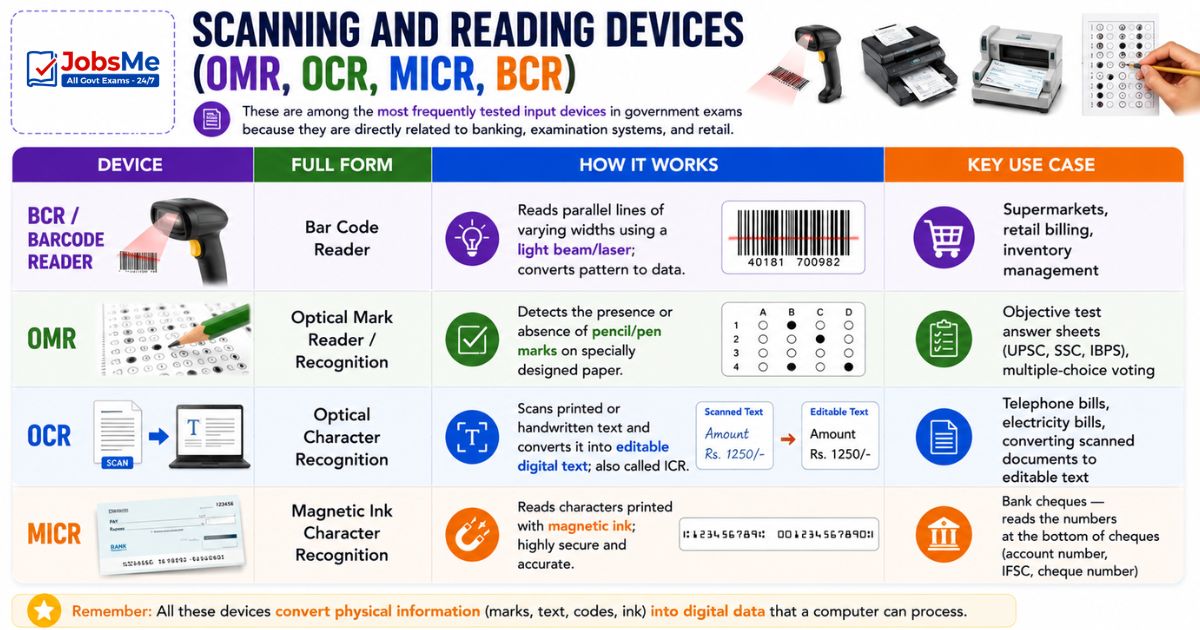
Scanning and Reading Devices (OMR, OCR, MICR, BCR)
These are among the most frequently tested input devices in government exams because they are directly related to banking, examination systems, and retail:
| Device | Full Form | How It Works | Key Use Case |
|---|---|---|---|
| BCR / Barcode Reader | Bar Code Reader | Reads parallel lines of varying widths using a light beam/laser; converts pattern to data | Supermarkets, retail billing, inventory management |
| OMR | Optical Mark Reader / Recognition | Detects the presence or absence of pencil/pen marks on specially designed paper | Objective test answer sheets (UPSC, SSC, IBPS), multiple-choice voting |
| OCR | Optical Character Recognition | Scans printed or handwritten text and converts it into editable digital text; also called ICR | Telephone bills, electricity bills, converting scanned documents to editable text |
| MICR | Magnetic Ink Character Recognition | Reads characters printed with magnetic ink; highly secure and accurate | Bank cheques — reads the numbers at the bottom of cheques (account number, IFSC, cheque number) |
MICR Deep Dive (Very Important for Banking Exams):
- Used exclusively by banks to process cheques
- The numbers printed at the bottom of a cheque are in MICR font using iron oxide (magnetic) ink
- MICR readers can process hundreds of cheques per minute with near-100% accuracy
- It is extremely difficult to forge — a major security advantage
- MICR numbers on a cheque include: Cheque number, Bank code, Account number, Transaction code
Other Important Input Devices
| Device | Description |
|---|---|
| Scanner | Converts paper documents and photographs into digital images. Types: Handheld, Flatbed (most common), Drum (highest quality) |
| Smart Card Reader | Reads data from smart cards (credit cards, ID cards, SIM cards). Card types: Memory Cards, Microprocessor Cards |
| Biometric Sensor | Recognises unique physical or behavioural traits for identification. Types: Fingerprint scanner, Face recognition (Windows Hello, Apple Face ID), Iris scanner, Voice recognition |
| Microphone (Mic) | Converts sound waves into electrical signals (digital audio). Requires a sound card to process the signal |
| Webcam | Digital video camera connected to a computer; used for video conferencing and online communication |
| Digital Camera | Captures images in digital format directly; can transfer to computer via USB or wireless |
| Fingerprint Scanner | Biometric login device; now integrated into most modern laptops and smartphones |
Output Devices - Getting Results from the Computer
An output device is any hardware component that receives processed data from the CPU and presents it to the user in a human-understandable form. Output can be temporary (soft copy) or permanent (hard copy).
Monitor (VDU - Visual Display Unit)
The monitor is the most common output device. It displays text, images, video, and graphical output from the computer in real time.
Monitor Types by Colour:
- Monochrome — displays only one colour (green/amber/white on black background)
- Colour Monitor — displays 256 to millions of colours
Image Quality is Determined by Three Factors:
| Factor | Meaning | Better When |
|---|---|---|
| Resolution | Number of pixels displayed on screen (e.g., 1920×1080 = Full HD) | Higher resolution = sharper image |
| Dot Pitch | Distance between two adjacent coloured pixels (in mm) | Smaller dot pitch = better image |
| Refresh Rate | Number of times per second the screen image is redrawn (measured in Hz) | Higher Hz = smoother, less flicker |
Pixel = Picture Element — the smallest building block of any digital image. Every monitor image is composed of millions of tiny pixels.
Types of Monitors
| Type | Full Name | Description |
|---|---|---|
| CRT | Cathode Ray Tube | Old technology; large, heavy, bulky; uses electron beam on phosphor screen; works like a TV |
| LCD | Liquid Crystal Display | Thin, flat, lightweight; uses liquid crystals; used in laptops and flat-panel monitors |
| LED | Light Emitting Diode | Emits its own light (no backlight needed); more energy efficient than LCD |
| OLED | Organic LED | Better contrast, deeper blacks, wider colour range than LCD; used in premium TVs and monitors |
| AMOLED | Active Matrix OLED | Faster refresh rate than OLED; used in premium smartphones (Samsung, OnePlus) |
| TFT | Thin Film Transistor | A type of active-matrix LCD; each pixel controlled by its own transistor; brighter and sharper |
| 3-D Monitor | — | Creates depth perception; linked to virtual reality headsets |
Modern Display Terms:
- HDR (High Dynamic Range) — Wider brightness and colour range; more realistic visuals
- Gaming Refresh Rates — 144 Hz, 165 Hz, 240 Hz, 360 Hz — for smooth gameplay
Printers - Producing Hard Copy Output
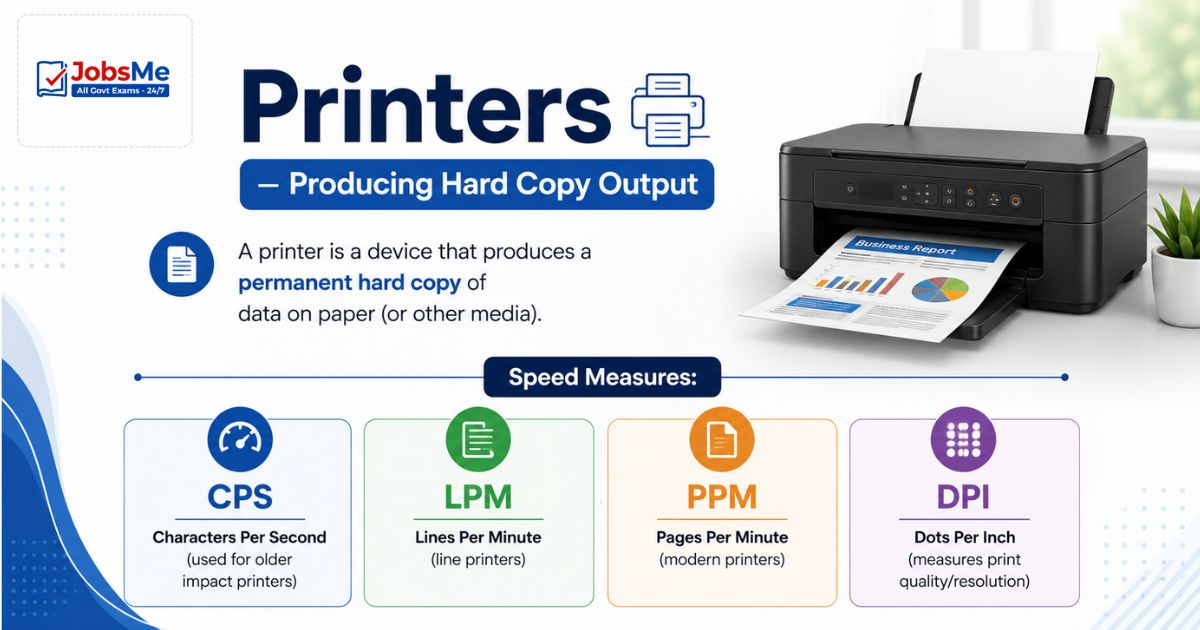
A printer is a device that produces a permanent hard copy of data on paper (or other media).
Speed Measures:
- CPS — Characters Per Second (used for older impact printers)
- LPM — Lines Per Minute (line printers)
- PPM — Pages Per Minute (modern printers)
- DPI — Dots Per Inch (measures print quality/resolution)
Impact Printers
Impact printers work by physically striking a ribbon against paper — similar to a typewriter. They can print multiple copies simultaneously (using carbon paper), making them useful for invoices and receipts.
| Type | Description | Speed |
|---|---|---|
| Dot Matrix | Uses a print head with 9-24 pins; prints dot patterns; can print multipart forms; also called Pin Printer | 50-500 CPS |
| Daisy Wheel | Characters arranged on petals of a wheel; high-quality output; slow; cannot print graphics | 25-55 CPS |
| Line Printer | Prints one complete line at a time; very fast; used in large mainframe environments | 1,200-6,000 LPM |
| Drum Printer | A cylindrical drum with raised characters in bands; each rotation prints one line | Fast |
| Chain Printer | Characters on a chain rotating between two pulleys; hammer strikes chain when correct character is in position | Very fast |
| Band Printer | Steel band with 5 sections of 48 characters each; similar to chain printer | Fast |
Non-Impact Printers
Non-impact printers do not touch the paper mechanically — they use heat, ink jets, or laser beams. They are quieter, higher quality, and faster than impact printers, but cannot make multiple copies simultaneously.
| Type | How It Works | Quality | Used For |
|---|---|---|---|
| Inkjet | Electrically charges tiny droplets of ink and sprays them onto paper in precise patterns | High quality text and colour graphics | Home and small office printing |
| Laser | Uses a laser beam to charge a photo-sensitive drum; toner (powder ink) is attracted and then fused to paper by heat | Highest quality; most precise | Office, high-volume printing |
| Thermal | Applies heat to chemically treated paper to create an image; no ink required | Moderate | Fax machines, receipt printers, boarding pass printers |
| Electrostatic | Creates image using static electricity; used for very large-format printing | Good | Large-format printing |
Key Difference — Impact vs. Non-Impact:
| Feature | Impact Printers | Non-Impact Printers |
|---|---|---|
| Mechanism | Physical strike on paper | No direct contact |
| Noise | Noisy | Quiet |
| Print Quality | Lower | Higher |
| Multi-copy | Yes (carbon paper) | No |
| Speed | Slower | Faster |
| Example | Dot Matrix | Laser, Inkjet |
Plotter - Vector Graphics Output
A plotter is a specialised output device that uses pens, pencils, or markers to draw high-quality vector graphics and technical drawings on paper. Unlike printers that print by dots, plotters draw continuous lines.
Used for: Architectural blueprints, engineering designs, CAD/CAM drawings, maps, banners
| Type | Description |
| Flatbed Plotter | Small, table-top size; limited to smaller paper sizes |
| Drum Plotter | Uses rolls of paper; can handle very long/large drawings of unlimited length |
Other Output Devices
| Device | Description |
|---|---|
| Speaker | Converts electrical signals back into sound waves; requires a sound card in the computer |
| Headphones | Pair of small speakers held close to the ears; also called stereophones, headsets, or "cans" |
| Projector | Projects a large image on a screen or wall; two types: LCD Projector and DLP Projector; provides temporary output |
Both Input and Output Devices (Dual I/O Devices)
Some devices serve as both input and output simultaneously:
| Device | Input Function | Output Function |
|---|---|---|
| Touch Screen | User touch = input | Display = output |
| Modem | Receives signals from network | Sends signals to network |
| Network Interface Card (NIC) | Receives data from network | Sends data to network |
| Headset | Microphone = input | Speaker = output |
| FAX Machine | Scanner scans document = input | Printer prints received fax = output |
| Audio/Sound Card | Records audio = input | Plays audio = output |
I/O Ports - Connecting External Devices
Ports are the physical interfaces through which external devices connect to the computer. Each port type has specific data transfer speeds and uses.
| Port | Data Transfer | Direction | Used For |
|---|---|---|---|
| Parallel Port | 8 bits simultaneously | Bidirectional | Older printers (mostly obsolete) |
| Serial Port | 1 bit at a time; slow | — | External modems, plotters, barcode readers |
| USB (Universal Serial Bus) | High speed; Plug and Play | Bidirectional | Almost all modern devices; data transfer; charging |
| FireWire (IEEE 1394) | Up to 400 MB/s | — | Audio/video devices, HDD, DVD drives |
| USB 3.0 | Up to 5 Gbps | — | Fast external storage |
| USB 4.0 | Up to 40 Gbps | — | Latest USB standard |
| USB-C | Universal connector; data + power + video | — | Mandatory on all smartphones in EU (2024) |
| Thunderbolt 4 | Up to 40 Gbps | — | High-speed peripherals, displays |
| Thunderbolt 5 | Up to 120 Gbps | — | Latest ultra-high-speed standard |
| HDMI | Video + audio | — | Connecting monitors, TVs, projectors |
Key Port Facts for Exams:
- Parallel port → 8 bits at once → Faster per transfer but obsolete
- Serial port → 1 bit at a time → Slower but longer cable runs
- USB → "Universal" → Works with almost everything → Plug and Play
- USB-C → Same connector both sides → Now mandatory in EU for phones
Memory Tricks
🔑 Scanning Devices — "BOMB":
Barcode Reader | OMR | MICR | Biometric Remember which is used where: Banks use MICR; Objective tests use OMR
🔑 MICR vs OCR vs OMR:
MICR = Magnetic → Banks → Cheques OCR = Characters → Scanned text → Documents OMR = Marks → Answer sheets → Exams
🔑 Impact vs Non-Impact Printers:
Impact = "It hits the paper" → Dot Matrix, Daisy Wheel → Noisy, multi-copy Non-Impact = "No touch" → Laser, Inkjet, Thermal → Quiet, high quality
🔑 Monitor Image Quality — "RDR":
Resolution (higher = better) | Dot Pitch (smaller = better) | Refresh Rate (higher = better)
🔑 Types of Ports — Speed Order (Slow to Fast):
Serial → Parallel → USB 2.0 → USB 3.0 → USB 4.0 → Thunderbolt 5
🔑 Douglas Engelbart = Mouse inventor (1963):
"Doug Engelbart Enabled the Mouse" = DEM = Douglas Engelbart Mouse
One-Liner Recap (Quick Revision)
- An input device accepts data and instructions from the user and converts them into machine-readable binary format for the computer to process.
- The keyboard is the most common input device; a standard QWERTY keyboard has 104 keys and is named after its first six letter keys.
- The mouse was invented by Douglas Engelbart at Stanford Research Center in 1963 and is a pointing device that controls the cursor on screen.
- MICR (Magnetic Ink Character Recognition) reads magnetic-ink characters at the bottom of bank cheques and is used exclusively in banking for cheque processing.
- OMR (Optical Mark Reader) detects pencil/pen marks on specially designed paper sheets and is used for processing objective test answer sheets.
- OCR (Optical Character Recognition) scans printed text and converts it into editable digital text, used for telephone bills and scanned document conversion.
- A monitor (VDU - Visual Display Unit) is the most common output device; image quality depends on Resolution, Dot Pitch, and Refresh Rate.
- LCD monitors use liquid crystals, LED monitors emit their own light, OLED monitors offer superior contrast and blacks, and AMOLED is the fastest refreshing type used in smartphones.
- Impact printers physically strike a ribbon to print and can produce multiple copies (Dot Matrix, Daisy Wheel), while Non-Impact printers use heat, laser, or ink jets and are quieter and higher quality.
- A Laser printer uses a laser beam on a photo-sensitive drum and produces the highest quality print output at the highest speed among all printer types.
- A Dot Matrix printer is an impact printer with 9 to 24 pins that prints patterns of dots and is used for multi-copy forms in banking and retail.
- A Thermal printer applies heat to chemically treated paper and is used in fax machines and receipt printers without requiring any ink.
- A Plotter is a specialised output device that draws continuous vector graphics using pens, used for architectural blueprints and engineering drawings.
- Touch screens, modems, FAX machines, headsets, and network cards are examples of devices that serve as both input and output simultaneously.
- USB (Universal Serial Bus) is the most widely used port standard; USB 4.0 supports up to 40 Gbps, while Thunderbolt 5 reaches up to 120 Gbps.
Preparing for competitive exams requires consistent revision. Platforms like JobsMe simplify preparation through:
- Daily Current Affairs
- Weekly Current Affairs
- Monthly Current Affairs
- Static GK for Competitive Exams
- Latest Government Jobs Notifications
- Banking Awareness
Stay updated, revise regularly, and attempt quizzes for better accuracy in UPSC, SSC CGL, IBPS PO/Clerk, SBI, RBI Grade B, RRB NTPC, Defence, and State PSC exams.
Free quiz • No signup required
Put this topic into practice with Daily Current Affairs MCQ Quiz – 27 May 2026 | SSC, Banking, UPSC, Railways & Defence Exams. It is the quickest way to reinforce what you just learned.
Frequently Asked Questions
What is the difference between an input device and an output device?
Which device is used to read bank cheques and how does it work?
What is the difference between OMR, OCR, and MICR?
What are the three factors that affect monitor image quality?
What is the difference between impact and non-impact printers?

About the author